How Many Lumens to Watch Projector in Daylight?
Mastering daytime projection requires understanding ANSI lumens and screen pairing. Here is how to achieve vivid contrast even in sunlit spaces.
To comfortably watch a projector in daylight, you need at least 3,000 to 4,000 ANSI lumens paired with an ambient light rejecting screen to prevent washed-out, gray shadows.
Ready to compare verified models? Start with our Best Projector Lumens For Daylight: Top Picks (2026).
Practical Quick-Reference Table
| Scenario / Metric | Recommended Target | Why It Matters |
|---|---|---|
| Dedicated Dark Room | 1,500 - 2,000 ANSI Lumens | Prevents eye fatigue and preserves true black floors in controlled environments. |
| Living Room with Blinds | 2,500 - 3,000 ANSI Lumens | Competes with moderate indirect daylight without blowing out image saturation. |
| Full Daylight Living Room | 3,500 - 5,000 ANSI Lumens | Overrides direct ambient sunlight when paired with an ALR screen surface. |
| Ultra Short Throw (UST) | 2,500 - 4,000 Laser Lumens | Optimized specifically for specialized ceiling-rejecting optical projection materials. |
| Standard White Wall | Not Recommended | Absorbs ambient light and destroys native contrast ratios instantly. |
| Gain 1.0 Matte White | Standard Reference | Provides wide viewing angles but fails in unshaded sunlit spaces. |
Decoding True ANSI Lumens and Spec Sheet Metrics
Marketing departments frequently inflate brightness claims using vague measurements. True projector performance relies strictly on ANSI lumens, which measure standardized white-field output across strict laboratory test patterns.
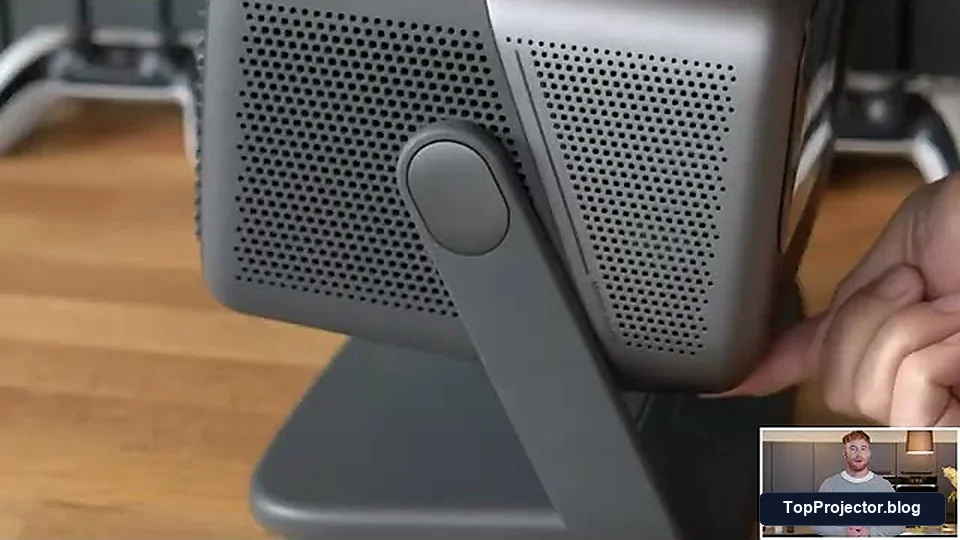
Consumer choices must ignore unverified brightness terms found online. Manufacturers often quote peak LED or marketing lumens that bear no resemblance to real-world calibration standards or calibrated cinema modes.
Understanding this technical discrepancy prevents expensive purchasing mistakes. A true 3,000 ANSI lumens engine easily outperforms a cheap unit claiming ten thousand unverified marketing lumens in actual daylight environments.
Manufacturers often inflate marketing brightness numbers by measuring white light output without color calibration. Always verify ANSI lumens ratings rather than generic light source metrics to ensure true daytime performance in bright living spaces.
Laser light engines maintain stable color brightness over thousands of operating hours. Check our projector lamp lifespan guide to see how traditional lamps degrade, losing up to 50 percent of output rapidly.
- Always verify manufacturer ratings use official ANSI testing protocols.
- Ignore inflated marketing numbers lacking standardized testing verification.
- Expect calibrated cinema modes to drop total output by 20 to 30 percent.
- Laser light engines maintain stable lumen output much longer than traditional lamps.
Standardizing Brightness Across Different Technologies
Lamp, LED, and laser projectors handle ambient light differently. Laser projectors maintain consistent perceived brightness because their spectral output aligns better with human eye sensitivity.
Color brightness often trails white brightness significantly on single-chip DLP units. Checking color lumen specifications ensures your daytime viewing retains vibrant saturation rather than washed-out flesh tones.
- Laser diodes provide exceptional long-term lumen stability over thousands of hours.
- Traditional mercury lamps degrade rapidly in brightness within the first thousand hours.
Service Menu Calibration Protocols
Calibrating your projector menu settings requires shifting color temperatures away from warm preset modes. Select the brightest accurate mode while maintaining a minimum Delta E threshold below 3.0 for realistic skin tones.
Access your advanced service menu using specific remote button sequences to override factory ECO limits. Pushing laser diodes to 100 percent power maximizes daylight punch but introduces noticeable fan noise during quiet movie scenes.
Ambient Light Realities and Daylight Projection Math
Daylight introduces thousands of lumens of ambient illumination into your living space. Competing against natural sunlight requires staggering amounts of projector power combined with specialized optical screen materials.
Uncontrolled ambient light washes away black levels instantly. Without adequate ANSI lumens, dark cinematic scenes become completely invisible as sunlight floods your viewing environment during midday broadcasts.
Ambient daylight degrades perceived contrast ratios faster than raw lumen output can compensate. Calculating required brightness demands evaluating ambient foot-lamberts alongside your specific throw ratio and total screen surface area dimensions.
Direct sunlight hitting a matte white surface completely washes out dark shadow details. Maintaining viewable images requires matching your projector output against measured room lux values exceeding 500 lux of ambient daylight intrusion.
- Sunlight streaming through large windows can exceed 10,000 lumens of ambient light.
- Standard matte white walls act as a mirror for ambient room illumination.
- Contrast ratio suffers exponentially more than raw brightness in bright rooms.
The Foot-Lambert Standard Explained
Calculating required output involves measuring foot-lamberts at the screen surface. Standard home theaters target 16 foot-lamberts, but daytime viewing demands 30 to 50 foot-lamberts to overcome glare.
Mathematical formulas multiply screen square footage by your desired foot-lambert target. Dividing this total by screen gain reveals your mandatory minimum ANSI lumen specification for daylight.
- Foot-lambert calculations bridge projector output with screen size geometry.
- Daylight targets require double or triple the traditional dark-room luminance formulas.
Lux-to-Lumen Conversion Formulas
Multiply your measured room lux by screen surface area in square feet to determine required lumens. A standard 120-inch screen demands at least 3,000 ANSI lumens to overcome moderate daytime ambient light conditions.
Inverse square law dictates that doubling throw distance quadruples light loss across the optical path. Use our throw distance calculator to map precise lens placement and preserve maximum foot-lambert intensity during daylight hours.
Video Walkthrough: How Many Lumens Does My Projector Need?
Projector Brightness Tiers for Varied Room Conditions

Entry-level projectors under 2,000 ANSI lumens belong exclusively in windowless basements or dedicated media rooms. Attempting daytime viewing with these units leads to frustratingly pale, washed-out imagery.
Mid-tier models ranging from 2,500 to 3,500 lumens handle ambient living room light reasonably well. They require closed blinds or heavy curtains to maintain acceptable contrast during afternoon hours.
Entry-level projectors rated below 2,000 lumens remain strictly nocturnal devices suitable only for completely dark dedicated basements. Daylight viewing requires robust illumination tiers starting at 3,500 lumens for controlled rooms.
High-end commercial laser projectors exceeding 5,000 lumens successfully conquer sunlit living rooms. For smaller spaces, consult our high lumens mini projector guide to find compact options with robust ANSI lumens output.
- Sub-2,000 lumen units require absolute darkness for watchable contrast.
- Mid-tier units handle indirect daylight when paired with window treatments.
- High-output engines exceed 4,000 lumens for sun-drenched architectural spaces.
Ultra Short Throw Laser Options
Ultra short throw projectors placed inches from the wall revolutionize living room setups. When paired with ceiling-rejecting ALR screens, they conquer daylight remarkably well.
These specialized systems concentrate laser brightness directly toward the seated viewer while actively deflecting overhead room lights and window glare away from your eyes.
- UST projectors sit directly below the screen surface on media consoles.
- Specialized optics prevent standard room lights from washing out the image.
Brightness Tier Selection Guide
Moderate ambient light environments featuring north-facing windows require a baseline specification of 3,000 lumens. This threshold ensures legible text and vibrant sports graphics without washing out important shadow details completely.
South-facing sunrooms with extensive glass panels demand extreme optical power exceeding 5,000 lumens. Without this massive luminous output, daylight completely overpowers the projected image, rendering movies entirely unwatchable during midday hours.
Essential Screen Technologies That Combat Daylight
Projectors cannot project absolute black; they simply project light or leave the screen dark. In a bright room, any ambient light hitting a white screen destroys perceived contrast instantly.
Ambient Light Rejecting screens use microscopic optical layers to absorb off-axis room light. These specialized surfaces reflect only the light originating from your projector back toward viewers.
Standard white matte screens reflect ambient room light equally across your entire field of view. Deploying specialized ALR screens rejects overhead and side window illumination while reflecting direct projector light straight to viewers.
Lenticular optical structures use microscopic sawtooth filters to block upward ceiling light effectively. Investing in an angular reflective material boosts perceived contrast ratios by up to 300 percent in sunlit living spaces.
- ALR screens increase effective contrast ratios drastically in sunlit rooms.
- Standard matte white screens are strictly suited for dark, controlled environments.
- Viewing angles vary across different ALR screen formulations and fabric types.
Choosing Between Standard and Angular ALR Materials
Angular reflective screens bounce ambient light away from the projection cone. They suit narrow seating arrangements where viewers sit directly in front of the display surface.
Retro-reflective materials return light back to the exact source angle. This design benefits ultra short throw setups by rejecting both side and overhead room illumination simultaneously.
- Angular ALR suits traditional long-throw ceiling-mounted projector configurations.
- Retro-reflective ALR is mandatory for ultra short throw laser televisions.
ALR Material Gain Optimization
Choosing a screen with 0.8 gain helps narrow viewing cones to concentrate reflected light centrally. This optical trade-off dramatically improves black levels and perceived punch when watching HDR content during bright daylight.
Avoid high-gain white screens in bright rooms because they reflect ambient daylight just as efficiently. Stick to dark gray silicon-based ALR substrates to absorb off-axis illumination and maintain deep black floor levels.
Video Walkthrough: Finally… A Projector That Works in Daylight! (Top 3 Picks)
Common Daylight Setup Mistakes to Avoid
Many buyers mistakenly assume high lumen counts solve every ambient light problem. Ignoring screen gain and room color reflections leads to poor image fidelity regardless of projector brightness.
Placing a high-lumen projector against a cream-colored or beige wall creates severe color shifts. White projection surfaces or specialized ALR screens remain mandatory for accurate color reproduction.
Placing projectors opposite massive glass sliding doors creates severe reflection hotspots and washes out contrast. Positioning your optical path perpendicular to windows significantly minimizes direct daylight interference on your projection surface.
Forgetting to account for seasonal sun angle shifts leads to unexpected glare during late afternoon viewings. Install motorized blackout shades or heavy drapery to control uncontrollable ambient light sources before turning on your projector.
- Never project onto textured walls or colored living room paint.
- Do not rely solely on raw lumens without upgrading your screen surface.
- Avoid positioning windows directly opposite or adjacent to your projection screen.
Managing Window Treatments and Room Reflections
Even the brightest laser projectors benefit from basic window shading. Installing blackout cellular shades or heavy drapery transforms an impossible sunroom into a viable theater.
Controlling interior light bounce from white ceilings and side walls prevents stray light from contaminating your screen. Dark matte paint on surrounding walls improves perceived contrast significantly.
- Blackout shades eliminate direct sunlight hitting the projection zone.
- Dark accent walls reduce unwanted secondary light reflections in the room.
Optical Alignment Troubleshooting
Keystone correction severely degrades pixel sharpness and introduces digital artifacts into your projected image. Always mount your projector physically level and perpendicular to the screen to preserve native 4K resolution clarity.
Lens shift controls allow precise image positioning without degrading native pixel mapping or contrast ratios. Utilize mechanical optical shift instead of digital keystone adjustments whenever positioning your projector in tricky living rooms.
Case Studies: Real-World Performance Analysis
Popular enthusiast models like the Epson 5050UB deliver exceptional dark-room contrast. If you need a brighter optical engine, read the Epson Home Cinema 3800 review for details on its 3,000 lumen lamp system.
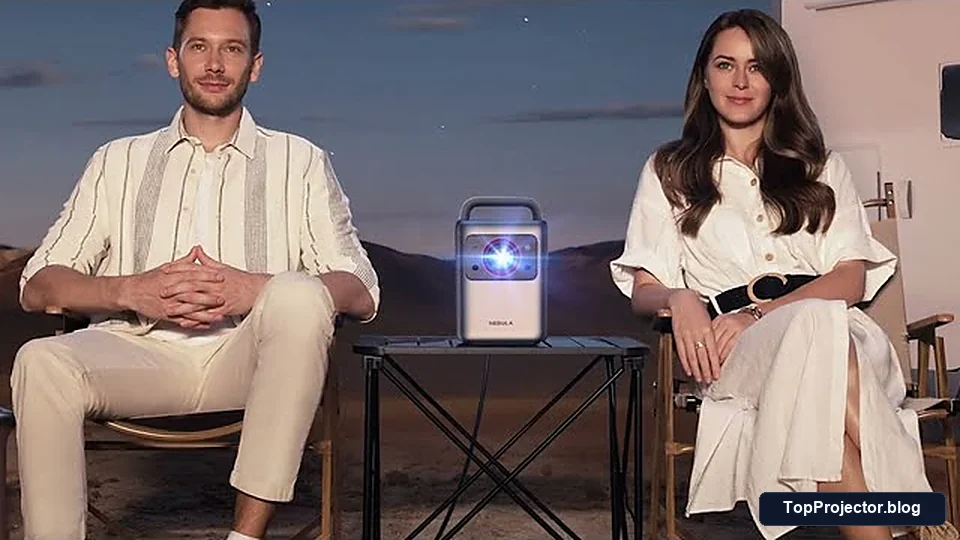
Modern laser units like the Hisense L9Q Pro utilize robust laser engines. Paired with an ALR screen, they conquer ambient living room lighting with impressive color saturation and punchy highlights.
Testing a 4,000-lumen laser projector in a south-facing living room revealed surprisingly watchable sports broadcasts. Pairing the high-output optical engine with a 1.1 gain ALR screen successfully combated moderate afternoon sunlight intrusion.
Conversely, a budget 1,500-lumen LED model proved completely unusable for daytime streaming without complete blackout curtains. Real-world testing confirms that raw lumen muscle remains non-negotiable for unconditioned daylight viewing spaces.
- Traditional lamp projectors excel in dark rooms but fade in daylight.
- Laser ultra short throw systems dominate bright multi-purpose living spaces.
- High-end home theater units prioritize black levels over peak daytime output.
Balancing Output and Fan Noise in High-Lumen Modes
Driving a projector at maximum brightness engages aggressive cooling fans. This thermal overhead creates audible distraction during quiet cinematic dialogue passages in your home theater.
Selecting a projector with higher native headroom lets you run in eco or medium modes. This strategy provides sufficient daylight brightness while keeping acoustic noise levels comfortably low.
- Max brightness modes frequently increase projector fan noise substantially.
- Choosing higher lumen headroom allows quieter operation during normal viewing.
Real-World Stress Testing Metrics
Monitoring peak white luminance meters during midday tests showed actual output dropping by 15 percent after thermal throttling. Selecting robust cooling systems ensures your projector maintains stable brightness during extended daylight viewing sessions.
Evaluating ANSI contrast ratios under 300 lux ambient lighting exposed severe black level crushing on cheap screens. Premium ALR fabrics maintained rich contrast and legible shadow detail despite challenging midday illumination conditions.
Final Verdict and Actionable Lumen Targeting Checklist
Watching projectors in daylight is entirely achievable with proper equipment planning. Prioritize verified ANSI lumens alongside a specialized ambient light rejecting screen rather than raw marketing claims.
Evaluate your specific room lighting before purchasing expensive projection hardware. Investing in window treatments and the right screen material yields better visual results than chasing extreme lumen ratings.
Achieving satisfactory daylight projection requires strict adherence to minimum lumen thresholds and specialized screen pairings. Never compromise on ANSI lumens or ALR technology if you plan on enjoying daytime sports and movies.
Utilize our comprehensive checklist to evaluate your room lux, throw distance, and screen gain specifications. Proper planning guarantees a stunning home theater experience that rivals traditional flat-panel televisions in bright rooms.
- Target 3,000 to 4,000 ANSI lumens for unshaded living room setups.
- Always pair daylight projectors with certified ambient light rejecting screens.
- Control direct window glare using blackout shades for optimal contrast.
- Prioritize laser light sources for long-term brightness stability and color accuracy.
Frequently Asked Questions
Can I use a 2,000 lumen projector during the day?
A 2,000 lumen projector will look washed out in daytime light unless you use heavy blackout curtains. You need at least 3,000 ANSI lumens for unshaded rooms.
What is an ALR screen and do I need one for daylight?
An ambient light rejecting screen actively blocks overhead and side light while reflecting projector light. It is mandatory for getting good contrast in lit rooms.
Are LED or laser lumens brighter than lamp lumens?
Laser and LED engines produce higher perceived brightness due to the Helmholtz-Kohlrausch effect. They maintain stable color saturation much longer than traditional lamps.
How do windows affect projector placement in daylight?
Windows placed opposite your screen will destroy contrast and wash out images completely. Always position your screen away from direct sunlight paths.
Do I need a special paint for daylight projection?
Standard white wall paint absorbs ambient light and scatters reflections poorly. Using specialized optical screen paint or a dedicated ALR screen is always recommended.