How Many Hours Do Projector Bulbs Last?
Master projector lamp longevity with precise optical metrics, operational mode analysis, and expert thermal management strategies to protect your home theater investment.

Traditional UHP projector lamps typically last 2,000 to 5,000 hours, while modern solid-state laser and LED illumination engines reliably deliver 20,000 to 30,000 hours before reaching critical brightness degradation thresholds.
Ready to compare verified models? Start with our Best Home Projectors Guide.
Projector Illumination Technology Lifespan Reference
| Light Source Type | Typical Lifespan (Hours) | Brightness Retention Rule | Best Application |
|---|---|---|---|
| Standard UHP Lamp | 2,000 – 4,000 | Halves by rated limit | Dedicated dark rooms |
| Eco-Mode UHP Lamp | 4,000 – 8,000 | Gradual lumen decay | Mixed ambient spaces |
| Laser Diode Engine | 20,000 – 30,000 | Maintains high output | Primary television replacement |
| LED Light Engine | 20,000 – 30,000 | Stable chromaticity | Portable media setups |
| Hybrid Laser/LED | 20,000 – 25,000 | Balanced color shift | Multi-use media rooms |
| Xenon Arc Lamp | 1,000 – 2,000 | Rapid thermal drop | High-end reference cinemas |
Evaluating Modern Projector Lamp Lifespan Metrics
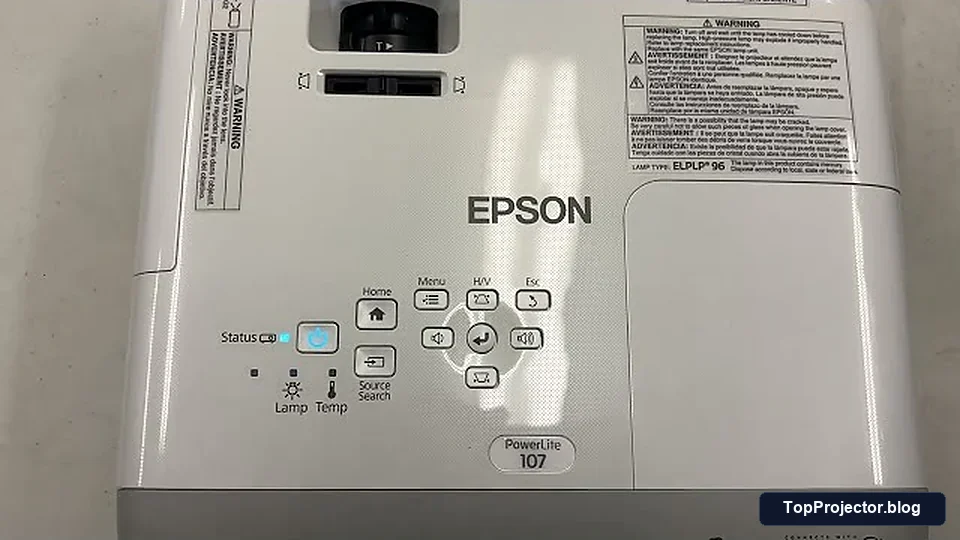
Projector lamp longevity depends heavily on the underlying illumination technology utilized inside your optical engine. Understanding these operational differences prevents unexpected hardware failure during critical movie viewings.
Traditional mercury-arc bulbs operate under extreme internal pressure to generate intense light. If you want portable models for outdoor movie nights, consult our best backyard projector guide for top-performing options.
Solid-state engines replace fragile quartz glass bulbs with semiconductor diodes. These modern systems bypass traditional thermal degradation loops to achieve unprecedented operational endurance.
Tracking your device utilization requires checking the internal system menu regularly. Manufacturers embed precise hour counters directly into the firmware to log every minute of active projection.
Modern optical engines track hours via internal system logs accessible through custom OS maintenance menus. Checking these firmware counters prevents unexpected blackout events during critical calibration sessions.
- UHP bulbs rely on high-pressure mercury vapor gas ignition.
- Laser diodes utilize wavelength conversion phosphors for white light.
- Firmware hour counters track exact operational run times automatically.
- Standard operating modes consume maximum wattage and accelerate thermal wear.
Accessing Internal Lamp Hour Diagnostics
Every modern home theater projector features an advanced diagnostic submenu within its on-screen display. Navigating to the system information tab reveals exact lamp hour statistics.
Reviewing this metric before purchasing replacement modules ensures you avoid prematurely discarding functional optical components. Always reset this counter immediately after installing a fresh bulb.
- Press the menu button on your remote control unit.
- Navigate to the system settings or maintenance submenu.
- Locate the lamp hours or light source timer metric.
Accessing Hidden Diagnostic OS Counters
Navigate your projector manufacturer service dashboard using designated remote control button sequences. Verify exact lamp operating hours against factory rated maximum thresholds before scheduling calibration.
- Cross-reference real-time hour logs with ambient temperature records
- Reset internal hour meters only after physical lamp module replacement
Comparing Conventional UHP and Metal Halide Lamps
Ultra-High Performance lamps remain popular due to their exceptional peak brightness and accurate spectral output. However, their physical lifespan is shorter than solid-state alternatives.
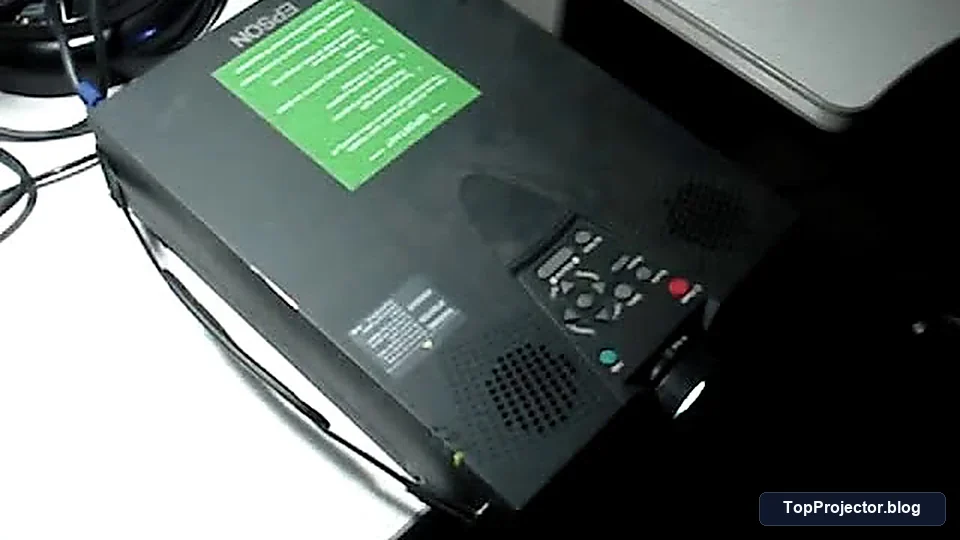
As a UHP lamp ages, tungsten deposits slowly accumulate on the interior quartz glass walls. This chemical buildup directly reduces light transmission efficiency over time.
Operating these lamps at maximum wattage generates intense heat that stresses the arc tube. Managing thermal dissipation is vital for reaching maximum rated operational hours.
Replacement modules for UHP systems include both the bare burner and the protective plastic housing. Always handle these fragile assemblies with clean cotton gloves.
Traditional ultra-high-pressure arc lamps rely on pressurized mercury vapor. They sustain extreme internal pressures exceeding 200 atmospheres, requiring robust quartz glass enclosures to prevent catastrophic structural failure.
When handling replacement UHP modules, optical technicians must wear protective gloves. Skin oils deposited on the quartz envelope create localized hot spots, severely degrading ANSI lumen output prematurely.
- UHP lamps project exceptional peak white levels for HDR content.
- Quartz arc tubes experience progressive blackening from tungsten deposits.
- Operating temperature directly dictates overall quartz structural integrity.
- Handling raw glass burners with bare skin causes permanent oil etching.
Video Walkthrough: Tips to extend the lifespan of your Projector Lamp
Solid-State Laser and LED Lighting Innovations
Solid-state illumination has revolutionized home theater projection by practically eliminating routine bulb replacement cycles. For example, our BenQ HT2060 review highlights how modern lamp-free engines deliver staggering endurance.
Most consumer laser projectors are rated for 20,000 to 30,000 hours of continuous operation. This lifespan easily translates to over a decade of heavy daily viewing.
Unlike fragile mercury bulbs, laser arrays experience a very gradual decay curve rather than sudden catastrophic failure. Your image simply dims slowly over thousands of hours.
LED light engines offer similar long-term stability while maintaining superior native color gamut coverage. They excel in compact chassis designs requiring minimal thermal management.
Hybrid laser-LED engines bypass traditional arc degradation by utilizing discrete solid-state semiconductor diodes. These advanced light sources routinely deliver 20,000 hours of consistent operation without color wheel shifting.
- Solid-state diodes eliminate fragile pressurized quartz glass arc tubes.
- Blue laser engines produce wide color spaces using specialized phosphors.
- Gradual lumen degradation replaces sudden mid-movie bulb explosions.
- Instant on and off capabilities reduce unnecessary thermal cycling stress.
Understanding Phosphor Wheel Degradation
Laser projectors use spinning phosphor wheels to convert blue laser light into broad-spectrum white illumination. Continuous high-speed rotation places mechanical wear on precision motor bearings.
High ambient operating temperatures can degrade the phosphor coating over extended periods. Ensuring clean intake airflow protects these internal optical components from premature failure.
- Phosphor wheels convert monochromatic laser light into white light.
- High-speed motor bearings require uninterrupted cooling airflow.
- Thermal stress can cause localized phosphor discoloration over time.
Phosphor Wheel Thermal Tolerances
Rotating phosphor wheels convert blue laser light into broad-spectrum illumination. Maintaining optimal chassis airflow ensures these sensitive optical components avoid thermal degradation under high native contrast workloads.
- Monitor internal cooling fan RPM through advanced diagnostic menus
- Clean intake dust filters every 500 operating hours rigorously
Decoding the 50-Percent ANSI Lumen Half-Life Threshold
Projector manufacturers define end-of-life by significant brightness decay. You can measure your current output requirements using our ANSI lumens room calculator when planning screen upgrades.
This gradual reduction occurs invisibly over thousands of hours of standard usage. Viewers often fail to notice the change until comparing their aging unit directly against a fresh projector.
Calibrating your home theater display helps compensate for this natural lumen reduction during early aging phases. However, once the optical output halves, replacing the module becomes necessary.
Ignoring this decay curve forces your iris and contrast processing to work harder, degrading overall image fidelity.
Projector manufacturers rate lamp life based on the half-life threshold where total ANSI lumen output drops by fifty percent. Real-world rooms with ambient light reveal this degradation much sooner.
Calibrating your optical path using a high-gain screen helps mask declining brightness. However, color accuracy inevitably shifts toward a warmer greenish tint as the phosphor coating ages past 1,500 hours.
- End-of-life is officially measured at fifty percent lumen retention.
- Human eyes adapt slowly to gradual light output reduction.
- Contrast ratios suffer as absolute peak brightness levels decline.
- Post-calibration adjustments help mitigate early stage optical decay.
Video Walkthrough: Tip #1 Environment
Core Environmental Factors Driving Premature Burnout
Operating environment cleanliness is a major factor influencing bulb lifespan. Proper placement also depends on optical geometry, which you can map using our projector throw distance guide.
Inadequate ventilation around cabinet installation spaces traps ambient heat near the lamp module. Exceeding maximum thermal thresholds drastically reduces arc tube structural longevity.
Frequent power cycling subjects the delicate metal filament and quartz burner to violent thermal shock. Allowing the internal cooling fans to run through their full cycle is mandatory.
Cigarette smoke and airborne grease particles coat the glass envelope, baking onto the surface during high-temperature projection sessions.
Ambient operating temperature directly dictates diode and arc tube longevity. Operating projectors above 35 degrees Celsius accelerates thermal stress, causing micro-fractures in the quartz glass and premature failure.
- Dust buildup restricts airflow and causes dangerous thermal hot spots.
- Enclosed cabinet installations trap exhaust heat and accelerate wear.
- Abrupt power interruptions prevent cooling fans from venting residual heat.
- Airborne particulate contamination bakes onto hot quartz glass surfaces.
Managing Ambient Temperature and Airflow
Projectors require substantial clearance around intake and exhaust vents to maintain proper internal temperatures. Operating a unit in warm rooms forces fans into high-speed noise profiles.
Checking and cleaning mesh air filters every few hundred hours prevents catastrophic thermal shutdowns. Clean filters ensure steady airflow across the fragile burner assembly.
- Maintain several inches of clearance around all ventilation vents.
- Clean removable mesh air filters every three hundred operating hours.
- Avoid operating projection systems in high ambient temperature spaces.
Mitigating Airborne Particulate Damage
Fine dust infiltration coats optical elements and blocks critical ventilation paths. Always maintain clean electrostatic air filters to protect your fragile liquid crystal panels from severe heat damage.
- Avoid mounting high-output projectors inside enclosed custom cabinetry
- Ensure a minimum ten-inch clearance around all intake vents
Proven Operational Habits to Maximize Diode Longevity
Adopting disciplined operational habits extends your projector bulb longevity significantly beyond baseline factory estimates. Simple procedural changes yield major dividends in hardware reliability.
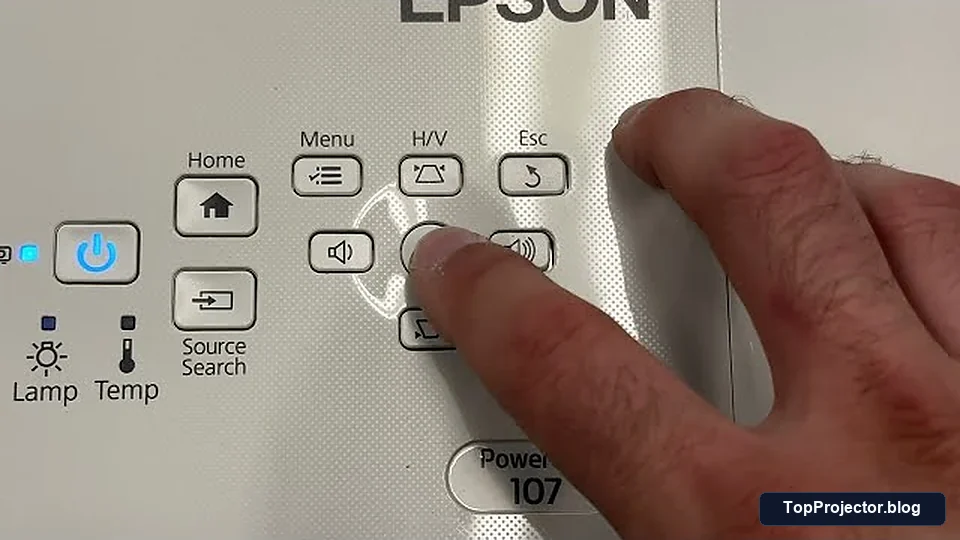
Utilizing ECO or Low Power modes reduces lamp wattage by 20 to 30 percent. This straightforward adjustment lowers operating temperatures and extends bulb hours dramatically.
Avoid turning your projector on and off for short intervals throughout the day. Allowing the burner to stabilize thermal equilibrium prevents unnecessary stress fracture development.
Always use a dedicated uninterruptible power supply to prevent sudden power loss during active cooling cycles.
Never disconnect your projector from main AC power immediately after a screening session. Allowing the internal cooling fans to run through their full thermal dissipation cycle prevents localized overheating.
Utilizing Eco mode reduces lamp driving wattage, significantly extending overall operational lifespan. This setting slightly lowers peak white brightness while dramatically reducing fan noise during quiet movie scenes.
- Enable ECO mode to reduce lamp wattage and thermal stress.
- Avoid short operating sessions that require frequent thermal cycling.
- Allow automatic cooling fan cycles to complete without interruption.
- Protect sensitive electronics and lamps using clean power conditioning.
Diagnosing End-of-Life Indicators and Replacement Protocols
Recognizing early warning signs prevents unexpected bulb failure during important movie nights or presentations. Visual cues provide clear indicators of impending optical module expiration.
A sudden noticeable dimming of the projected image combined with flickering points directly toward arc stabilization failure. This instability signals that the internal gas mixture is degrading.
Many advanced home theater projectors feature dedicated diagnostic indicator LEDs on their chassis. A flashing orange lamp light immediately warns users to schedule a replacement.
When installing a replacement module, always ensure the unit is completely cooled and disconnected from wall power before opening the secure access hatch.
Visible flickering and sudden color temperature shifts are definitive warning signs of an aging arc tube. Ignoring these symptoms risks an explosive bulb rupture that scatters glass across internal polarizer glass.
When installing new replacement modules, always reset the internal lamp timer via the system settings menu. Failing to reset this counter prevents accurate tracking and bypasses critical safety warnings.
- Noticeable flickering indicates unstable internal gas pressure.
- Flashing diagnostic chassis LEDs warn of imminent lamp failure.
- Image color shift toward green or purple reveals phosphor aging.
- Always disconnect AC power before handling internal lamp assemblies.
Frequently Asked Questions
How many hours do standard projector bulbs last?
Traditional UHP projector bulbs typically last between 2,000 and 5,000 hours depending on operating modes. Utilizing energy-saving settings can extend this total lifespan closer to 8,000 hours.
Do laser projector light sources ever need replacement?
Solid-state laser engines generally last 20,000 to 30,000 hours before dropping below acceptable brightness thresholds. Most users never need to replace the light source during the product lifecycle.
What causes projector bulbs to fail prematurely?
Premature failure is usually caused by restricted airflow, dust accumulation, and thermal shock from power interruptions. Operating lamps at maximum wattage without adequate ventilation accelerates quartz wear.
How does ECO mode extend projector lamp life?
ECO mode reduces electrical wattage supplied to the burner by 20 to 30 percent. This lower operating temperature significantly slows down tungsten evaporation and quartz structural fatigue.
What are the clear warning signs of a dying bulb?
Key warning signs include severe image dimming, noticeable flickering, color shifting, and a flashing indicator light on the chassis. These symptoms confirm the lamp requires immediate replacement.