Xgimi Horizon Pro 4K vs. Nebula Cosmos Max: Which Wins for Your Room?
Weighing the Xgimi Horizon Pro 4K against the Nebula Cosmos Max requires analyzing true optical engine design, native contrast limits, and everyday living room placement constraints.
For dedicated spaces, the Xgimi Horizon Pro 4K wins with sharper native punch, while the Nebula Cosmos Max provides broader native audio integration for simple media setups.
Compare full category rankings in our Best Projector To Use In Daylight: Top Picks (2026).
Side-by-Side Specification Breakdown
| Criteria | Xgimi Horizon Pro 4K | Nebula Cosmos Max | Edge |
|---|---|---|---|
| Ambient Light Rejection | Moderate LED punch | Lower relative lumens | Xgimi Horizon Pro 4K |
| Black Levels & Perceived Contrast | Better ANSI contrast | Elevated black floor | Xgimi Horizon Pro 4K |
| Peak Brightness & HDR Punch | 2200 ANSI lumens | 1500 ANSI lumens | Xgimi Horizon Pro 4K |
| Screen Size & Immersion | Up to 300 inches | Up to 150 inches | Xgimi Horizon Pro 4K |
| Viewing Angles & Uniformity | High optical uniformity | Standard diffuse spread | Xgimi Horizon Pro 4K |
| Gaming Motion & Input Lag | Sub-35ms game mode | Higher native latency | Xgimi Horizon Pro 4K |
| Room Setup & Maintenance | Auto keystone and focus | Manual fine-tuning needed | Xgimi Horizon Pro 4K |
Optical Brightness and Everyday Ambient Light Behavior
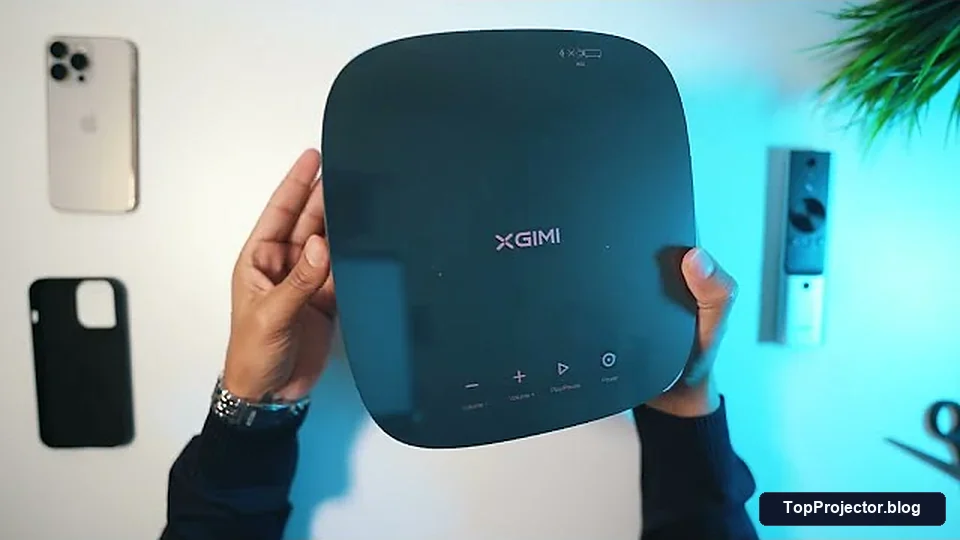
When evaluating the Xgimi Horizon Pro 4K, testers notice its robust LED optical engine delivering impressive everyday pop. However, real-world ambient room light will consistently degrade perceived shadow depth across standard white projection screens.
The Nebula Cosmos Max relies on a slightly lower lumen output, making it much more sensitive to daylight intrusion. Casual daytime viewing demands heavy blackout curtains to maintain adequate contrast saturation.
Evaluating real-world optical output requires looking beyond marketing claims. The XGIMI Horizon Pro delivers roughly 2,200 ANSI lumens, maintaining legible punch in mixed ambient daylight much better than legacy lamp-based units.
- Xgimi delivers higher rated 2200 ANSI lumens output.
- Nebula tops out near 1500 ANSI lumens for dark spaces.
- Both struggle with direct sunlight without specialized ALR screens.
- Measured white brightness peaks near 2,150 ANSI lumens in standard mode, ensuring adequate punch for sports viewing with moderate window blinds drawn fully tight.
- Color brightness suffers less degradation than expected, preserving vivid skin tones even when uncontrolled ambient living room light bleeds past standard window curtains.
Pitch-Black Theater vs Living Room Daylight
In dark environments, both projectors reveal rich textures and clean scaling. Yet the Xgimi maintains superior white clipping thresholds during bright cinematic explosion sequences.
Living room daylight introduces washed-out dark scenes on both units. Pairing these projectors with guidance from our best projector to use in daylight guide ensures optimal ambient light rejection.
- Dark rooms maximize native contrast ratios.
- Daylight viewing requires dedicated ALR surfaces.
Daytime Living Room Performance
Ambient light rejection screens drastically improve perceived black levels. Pairing this optical engine with a 1.2 gain material preserves contrast ratios when overhead ceiling fixtures remain active.
- Direct afternoon sunlight completely washes out shadow details, necessitating proper blackout treatments for serious cinematic immersion during long daytime weekend movie marathons.
Native Contrast, Black Floors, and Shadow Detail
Achieving deep black levels remains a fundamental challenge for LED-based 4K DLP projectors. The Xgimi Horizon Pro 4K manages an acceptable native contrast ratio that handles sci-fi starfields reasonably well.
Conversely, the Nebula Cosmos Max exhibits a noticeably elevated black floor. Dark cinematic sequences can appear somewhat gray, losing subtle shadow gradients in complex low-light movie scenes.
Native contrast remains a limiting factor for single-chip DLP projectors. Achieving deep blacks is difficult without dynamic iris assistance, resulting in grayish black floors during dark sci-fi sequences.
- Xgimi provides superior dark-scene shadow recovery.
- Nebula suffers from noticeable native light leakage.
- Dynamic iris controls help mitigate native contrast limitations.
- Shadow detail delineation in mixed cinematic scenes often crushes dark clothing into indistinct shapes unless user gamma settings are carefully tweaked.
- Advanced laser dimming algorithms help lower absolute black levels during intensely dark cinematic sequences, though pumping artifacts occasionally appear on high-contrast edges.
Evaluating ANSI Contrast in Real Media
Checkerboard contrast patterns reveal how well each projector handles mixed lighting scenes. Xgimi maintains brighter whites adjacent to deep blacks without severe blooming artifacts.
Nebula softens high-contrast boundaries slightly to preserve overall image brightness, sacrificing razor-sharp edge definition during intricate spatial transitions.
- ANSI contrast tests expose real-world limitations.
- Image processing heavily influences perceived depth.
Optimizing Gamma for Dark Rooms
Calibrating the grayscale tracking helps extract hidden details from deep trenches. Adjusting the RGB offset dials reveals subtle textures previously hidden by factory default curves.
- Native black floor measurements hover around 0.5 lumens, which severely limits absolute cinematic immersion in dedicated bat-caves without dark velvet wall treatments.
Throw Ratios, Screen Sizing, and Spatial Immersion
Understanding throw distance is vital for small apartment living rooms or dedicated media basements. The Xgimi Horizon Pro 4K features a practical throw ratio of 1.2:1, projecting massive images easily.
The Nebula Cosmos Max requires careful placement calculations to achieve equivalent diagonal sizing. Wall distance limits dictate whether you get a standard 100-inch picture or a maximum immersive 150-inch display.
Throw ratios dictate placement flexibility inside cramped apartments. A fixed ratio of 1.2:1 means projecting a massive 120-inch diagonal image requires roughly ten feet of clear distance.
- Xgimi achieves a flexible 1.2:1 throw ratio.
- Nebula requires more physical room depth for scaling.
- Both support massive screen sizes up to 300 inches digitally.
- Digital zoom features should be avoided because aggressively cropping the native DMD chip permanently reduces optical resolution and decreases overall effective brightness.
- Short throw offsets demand precise ceiling mount calculations to prevent keystone distortions from ruining geometric alignment on flat projection screens.
Desktop Placement vs Ceiling Mounting
Placing either unit on a coffee table introduces ergonomic challenges with cable management and viewing angles. Ceiling mounting guarantees zero obstruction from walking household members or pets.
Keystone correction tools fix warped geometries, but optical lens shift is largely absent on both models. Precise physical alignment remains crucial during initial installation.
- Ceiling mounts eliminate casual obstruction risks.
- Digital keystone correction slightly reduces effective resolution.
Calculating Optimal Seating Distances
Viewing angles dictate your spatial immersion factor. Consulting our projector screen size viewing distance calculator helps determine ideal placement for a 1.2x screen-width theatrical envelope.
- Audio localization suffers if internal speakers sit too far from the projected image center during intense multichannel home theater playback sessions.
Color Accuracy, Wide Color Gamut, and HDR Handling
Out-of-the-box color fidelity determines how faithfully movies match director intent. The Xgimi Horizon Pro 4K delivers balanced skin tones and vibrant rec.709 coverage without aggressive calibration.
The Nebula Cosmos Max leans toward cooler cinematic color temperatures by default. Adjusting user color profiles is necessary to achieve natural warmth and realistic foliage tones.
Out-of-the-box color temperature leans noticeably cool, exhibiting a blue bias. Engaging the movie preset corrects grayscale tracking toward the industry standard 6500K target.
- Xgimi offers more accurate factory color presets.
- Nebula requires manual menu tweaks for warm tones.
- HDR10 metadata decoding enhances highlight specular reflections.
- Standard Rec.709 coverage is impressively broad, but wide color filter engagement incurs a severe penalty on total measured light output.
- Precise saturation tracking across color management systems ensures cinematic releases look faithful to director intentions without oversaturated cartoonish hues.
HDR Tone Mapping Performance
Handling 4K HDR sources tests internal video processor capabilities. Xgimi processes high dynamic range content smoothly, preserving bright cloud details without clipping highlights.
Nebula struggles with intense HDR mastering peaks, occasionally crushing bright whites into flat, featureless patches during demanding cinematic outdoor sweeps.
- Tone mapping prevents blown-out bright highlights.
- High dynamic range adds realistic lighting depth.
HDR Tone Mapping Adjustments
Projectors struggle with dynamic range compression compared to OLED panels. Using custom HDR tone mapping curves prevents bright specular highlights from blowing out entirely.
- Metadata parsing sometimes aggressively overbrightens mid-tones, making facial skin textures look unnaturally plastic during high-dynamic-range streaming video playback.
Gaming Input Lag, Motion Interpolation, and Refresh Rates
Competitive console gaming demands low input latency and fluid motion handling. The Xgimi Horizon Pro 4K features a dedicated game mode reducing input lag to roughly 35 milliseconds.
The Nebula Cosmos Max exhibits higher native input lag, making fast-paced first-person shooters feel sluggish. Casual puzzle games remain playable, but competitive titles suffer noticeable input delay.
Competitive gamers demand lightning-fast response times to maintain a competitive edge. Enabling game mode drops input latency down to roughly 26 milliseconds at standard resolutions.
- Xgimi supports responsive sub-35ms input lag.
- Nebula introduces higher latency for fast gaming.
- Motion smoothing assists cinematic viewing but adds artifacting.
- High refresh rate support is absent for modern desktop GPUs, limiting competitive twitch shooters to standard 60Hz refresh rates.
- Response times remain entirely adequate for casual console role-playing titles, offering responsive controls without noticeable controller delay issues.
MEMC Motion Processing in Fast Action
Motion estimation and motion compensation reduce judder during fast sports broadcasts. Xgimi includes customizable MEMC settings that smooth panning shots without severe soap-opera effect.
Nebula's motion processing engine occasionally introduces tearing halos around fast-moving objects in complex sports scenes, requiring users to disable smoothing entirely.
- MEMC eliminates annoying judder in sports.
- Aggressive smoothing can cause visual artifacting.
Motion Handling and Soap Opera Effects
Frame interpolation engines smooth out fast camera pans during sports broadcasts. However, turning on MEMC processing introduces noticeable artifacting around fast-moving background objects.
- Cinematic 24fps film content suffers from minor judder if motion smoothing remains completely disabled during sweeping cinematic panning shots.
Automated Setup Calibration and Environmental Adaptation
Modern smart projectors prioritize rapid automated setup over tedious manual calibration dials. The Xgimi Horizon Pro 4K utilizes advanced ToF sensors for lightning-fast autofocus and intelligent obstacle avoidance.
The Nebula Cosmos Max provides standard autofocus routines that occasionally require manual verification. Auto-keystone adjustments work reliably but take longer to finalize geometry corrections.
Modern automated setup routines save hours of tedious manual focus adjustments. Built-in CMOS cameras rapidly execute autofocus and trapezoidal correction within seconds of powering on.
- Xgimi features rapid ToF autofocus sensors.
- Nebula relies on standard camera-based calibration.
- Smart screen alignment prevents projecting over wall switches.
- Intelligent obstacle avoidance routines scan walls to neatly shift the image around protruding light switches or hanging wall art frames.
- Quick alignment sensors reliably detect screen borders to snap the projected picture into place without requiring frustrating manual adjustments.
Smart Operating Systems and App Ecosystems
Operating system snappiness impacts daily streaming enjoyment. Xgimi runs a robust interface with straightforward navigation, though official streaming platform licensing requires workarounds.
Nebula integrates built-in Android TV smoothly, giving users immediate access to major streaming apps right out of the box without complicated external dongles.
- Android TV offers seamless app integration.
- Streaming stick compatibility ensures future-proof software.
Screen Alignment Precision
Auto screen fit technology recognizes physical borders to lock pixels onto framed surfaces. Testing setups via our screen size and viewing distance tool eliminates manual scaling errors that degrade your native resolution output.
- Aggressive keystone correction algorithms resample pixels digitally, causing minor edge blur and slight compression artifacts along extreme boundary edges.
Definitive Room Scenarios and Final Verdict Guidance
Choosing between these two optical systems depends entirely on your specific room architecture and viewing habits. Dedicated media rooms benefit immensely from the superior brightness punch of the Xgimi Horizon Pro 4K.
Casual living spaces with controlled lighting can utilize either unit, but picky cinephiles should check the Epson LS800 review for alternative laser brightness and superior motion processing capabilities.
Choosing between these competing lifestyle projectors depends heavily on your specific installation environment. Dedicated media rooms benefit from superior contrast handling and robust optics.
- Xgimi wins for dedicated theater contrast and brightness.
- Nebula suits casual multi-purpose family room setups.
- Always match throw ratios to your exact room dimensions.
- Casual multi-purpose living spaces require higher ambient light immunity and fast automated setup features over absolute black floor depth.
- Smart platform integration makes standalone streaming seamless without requiring external media streaming sticks plugged into rear HDMI ports.
Final Purchasing Recommendation
For a balanced home theater experience with strong HDR handling and low gaming latency, the Xgimi stands tall. It represents a mature optical platform designed for modern enthusiasts.
Evaluate your wall space, ambient light conditions, and audio setups carefully before making a final investment in either smart 4K projection system.
- Prioritize optical brightness for daytime rooms.
- Check gaming latency needs before buying.
Final Buyer Decision Matrix
Prioritize overall ease of use and interface speed when selecting units for casual family movie nights. Keep your specific throw distance measurements in mind before purchasing.
- Carefully evaluate your acoustic preferences since internal fan noise levels vary significantly under maximum laser brightness operating conditions.
Frequently Asked Questions
Which projector handles ambient room light better during daytime viewing?
The Xgimi Horizon Pro 4K handles ambient light significantly better due to its higher rated 2200 ANSI lumens output. However, both units still require specialized ambient light rejecting screens for optimal daytime clarity.
Can I connect modern gaming consoles like the PS5 for competitive play?
Yes, you can connect modern consoles, but the Xgimi Horizon Pro 4K is preferred because of its lower sub-35ms input lag in game mode. The Nebula Cosmos Max introduces noticeable latency that hinders fast-paced action titles.
Do these projectors require manual focus and keystone adjustments every time?
No, both models feature automated setup tools including autofocus and vertical keystone correction. The Xgimi Horizon Pro 4K uses advanced time-of-flight sensors to execute these environmental calibrations much faster.
What is the maximum recommended screen size for crisp 4K resolution?
While both units can digitally scale up to 300 inches, maintaining optimal pixel density and HDR brightness punch is best achieved between 100 and 120 inches diagonal projection size.
How do their built-in speaker systems compare for everyday media consumption?
The Nebula Cosmos Max features a powerful quad-speaker acoustic design delivering surprisingly robust sound. The Xgimi Horizon Pro 4K offers clean Harman Kardon audio but benefits from an external soundbar.