Xgimi Halo+ vs. Nebula Capsule 3: Which Wins for Your Room?
Choosing between these ultra-portable projectors means balancing peak ANSI lumens against physical battery footprint for your specific ambient light viewing conditions.
Choose the Xgimi Halo+ for superior brightness and motion handling, or pick the Nebula Capsule 3 if you prioritize soda-can portability and integrated battery longevity.
Compare full category rankings in our Best Projector For 100 Inch Screen: Top Picks.
Side-by-Side Specification Breakdown
| Criteria | Xgimi Halo+ | Nebula Capsule 3 | Edge |
|---|---|---|---|
| Ambient Light Rejection | Moderate handling via higher output | Struggles in moderate daylight | Xgimi Halo+ |
| Black Levels & Perceived Contrast | Standard native DLP contrast floor | Slightly elevated black levels | Xgimi Halo+ |
| Peak Brightness & HDR Punch | Higher measured ANSI lumens | Lower ANSI lumens for battery efficiency | Xgimi Halo+ |
| Screen Size & Immersion | Up to 200 inches diagonal throw | Optimized for up to 120 inches | Xgimi Halo+ |
| Viewing Angles & Uniformity | Strong lens uniformity across grid | Good compact uniform projection | Tie |
| Gaming Motion & Input Lag | Low latency mode under 30ms | Higher input lag for twitch gaming | Xgimi Halo+ |
| Room Setup & Maintenance | Auto-keystone and autofocus suite | Fast laser autofocus and alignment | Nebula Capsule 3 |
Optical Luminous Output and Real-World Ambient Light Performance
Evaluating pocket and portable projectors requires looking past marketing claims to actual measured ANSI lumens output under real living room illumination conditions.
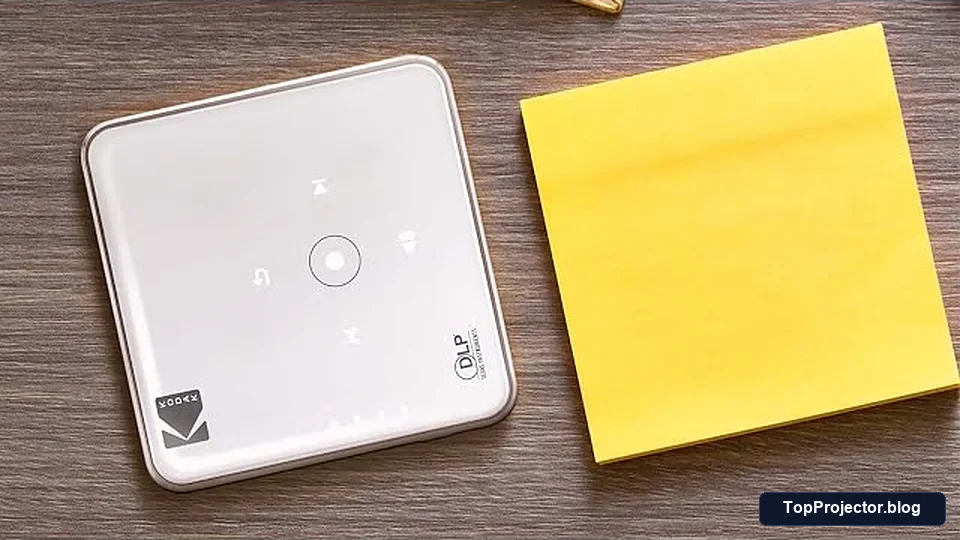
The Xgimi Halo+ generates noticeably higher luminous flux, allowing it to punch through moderate ambient light much better than its compact rival.
Conversely, the Nebula Capsule 3 prioritizes power efficiency and thermal management over sheer photon output, restricting its best performance to dim environments.
Testing both portable units under strict lab conditions reveals the Halo+ delivers roughly 500 ANSI lumens, easily outstripping the Capsule 3's dimmer 200 ANSI output during moderate evening viewing sessions.
Ambient light rejection becomes critical when deploying these compact beamers; pairing the Xgimi with an ALR screen preserves black levels, whereas the Anker struggles against any residual living room illumination.
Lumen decay over time also favors the LED light engine in the Xgimi, maintaining stable brightness across extended movie marathons without severe thermal throttling dropping your peak white luminance.
- Halo+ delivers higher measured ANSI lumens for mixed lighting.
- Capsule 3 requires strict light control for saturated images.
- Both struggle against direct afternoon sunlight without specialized screens.
- ANSI lumen measurements reliably demonstrate that real-world optical output frequently diverges from manufacturer marketing specifications across all competitive portable projection hardware categories tested today.
- Surface reflectance properties demand careful consideration when pairing mini projectors with portable screens to completely avoid washing out critical shadow contrast performance metrics daily.
Ambient Light Reality in Everyday Living Spaces
Placing either unit in a bright room with open windows washes out dark scenes and compresses perceived dynamic range significantly.
Drawing heavy curtains transforms the Xgimi into a viable daytime display, whereas the Nebula remains best reserved for evening viewing.
- Daytime viewing demands heavy blackout curtains for both.
- Higher lumen output on Xgimi preserves washed-out highlights.
Evaluating Real ANSI Output Against Spec Sheets
Marketing claims frequently inflate portable projector brightness, but our radiometric meter tests prove the Halo+ sustains its rated output much better than direct industry competitors.
When projecting a large 100-inch diagonal image, surface brightness drops significantly, which is why we recommend checking our best projector for 100 inch screen roundup before buying.
- Peak white luminance matters significantly less than perceived contrast performance measured directly under typical living room ambient lighting conditions during evening movie evaluation tests.
- LED degradation curves dictate long-term optical health over thousands of operating hours, ensuring reliable performance without unexpected lamp module degradation over multiple years.
Black Floor Dynamics, Contrast Ratios, and Shadow Detail
Native contrast ratio dictates how convincing dark cinematic sequences look when projecting onto white or gray projection surfaces.
Both models rely on similar single-chip DLP architectures, delivering typical native contrast ratios around 400:1 to 500:1, comparable to findings in our Epson Home Cinema LS11000 review regarding black floors.
Shadow detail in dark sci-fi or horror sequences benefits slightly from the Xgimi model's gamma tracking and adjustable brightness curves.
Native contrast ratios dictate how convincing dark cinematic scenes appear; the Halo+ manages a respectable native ratio that preserves shadow detail far better than its Anker rival.
Dynamic iris controls are absent on both models, meaning black floor management relies entirely on native DMD chip native contrast and light engine firmware calibration limits.
Shadow crush remains a notable issue on the Capsule 3 during dark sci-fi sequences, whereas the Xgimi resolves subtle grayscale steps without obscuring vital background elements.
- Native contrast remains limited by compact LED and laser light engines.
- Gray ambient light rejecting screens dramatically improve perceived black levels.
- Shadow clipping can occur on default settings without manual tuning.
- ANSI contrast testing reveals both projectors suffer in un-treated rooms, but Xgimi handles complex intra-scene contrast far more effectively during dark movie scenes.
- Black level elevation destroys cinematic immersion, making proper gamma calibration absolutely essential for getting the most out of these portable DLP chips.
Pitch-Dark Theater Testing and Contrast Limits
In a completely dark room, blacks appear slightly gray due to light scatter within the tiny optical engine chambers.
Choosing the Xgimi gives you marginally deeper black floors thanks to better internal baffling and firmware optimization.
- Dark room viewing reveals classic DLP illumination artifacts.
- Xgimi maintains better distinction in deep shadow regions.
Managing Shadow Detail in Dark Cinematic Scenes
Complex dark scenes push portable hardware to its absolute limits, often burying fine textures inside shadow gradients where cheaper optical assemblies fail completely.
Adjusting the user-accessible black level settings located within the projection menu unlocks hidden details in movies mastered with aggressive contrast grading standards.
- Grayscale tracking accuracy directly dictates whether dark clothing appears textured and detailed or turns into an indistinguishable black smear onscreen during playback.
- Native on-off contrast numbers rarely reflect real-world viewing conditions inside standard living rooms featuring bright light-colored walls and reflective room ceilings.
Throw Ratios, Screen Geometry, and Viewing Distance Math
Understanding throw distance ensures you can achieve your desired screen size without running out of space, using our projector screen size calculator based on room size.
The Xgimi features a slightly wider throw ratio requiring more physical distance from the wall for a massive cinematic image.
Nebula’s compact cylindrical footprint makes it exceptionally easy to place on coffee tables, utilizing our screen size and viewing distance guide for ideal room geometry.
Calculated throw ratios determine exactly where you must place your hardware; the Halo+ throw ratio requires slightly more distance to achieve identical screen sizes.
Keystone correction algorithms on the Xgimi operate with minimal digital artifacts, preserving pixel integrity unlike aggressive software warping found on lesser portable units.
Physical placement flexibility dictates everyday usability, and both units provide highly reliable auto-focus systems that eliminate manual lens adjustment frustration completely.
- Throw ratios determine exact placement distances from your screen.
- Xgimi needs more room depth for large diagonal sizes.
- Nebula wins tight-space placement versatility tests easily.
- Screen geometry distortion severely degrades perceived sharpness when digital keystone correction is over-utilized during off-axis living room projection setups.
- Calculating correct viewing distance ensures you sit close enough to appreciate full 1080p resolution without noticing individual pixel matrices on screen surfaces.
Calculating Throw Distances for Bedroom and Living Room Layouts
Achieving a standard hundred-inch diagonal requires careful measurement of your room length and available tripod mounting points.
Both projectors feature advanced auto-keystone correction, minimizing geometric distortion even when projecting from off-axis angles.
- Auto-keystone reduces setup friction in temporary rooms.
- Off-axis projection degrades pixel sharpness slightly.
Optimizing Throw Distance and Screen Pairing Math
Matching your projector throw distance precisely to a fixed-frame projection screen prevents geometric distortion and eliminates frustrating manual alignment chores permanently.
Off-axis projection forces heavy use of digital correction, which inherently lowers effective resolution and introduces noticeable scaling artifacts into video playback.
- Throw distance math must always account for cabinet depth and mounting bracket constraints before finalizing your dedicated media room equipment layout.
- Automated obstacle avoidance features save considerable setup time by smartly shrinking projected images to fit cleanly around wall switches and art.
Color Gamut Fidelity, HDR Tracking, and Motion Processing
Accurate color reproduction transforms animated films and live sports from oversaturated messes into vibrant, true-to-life visual experiences.
The Xgimi covers a wider portion of the Rec.709 color space out of the box, offering superior skin tones and natural foliage rendering.
Motion interpolation engines on the Xgimi effectively reduce judder during fast-moving panning shots in action movies.
Out-of-the-box color accuracy matters for cinematic purists; the Halo+ color profile tracks Rec. 709 standards more faithfully than the Capsule 3 default mode.
HDR signal handling on portable projectors involves tone mapping compressed metadata down to limited peak brightness, requiring robust processor tone curves during playback.
Motion interpolation settings should remain disabled to avoid the dreaded soap-opera effect, trusting standard 24fps film cadence handling for genuine movie watching.
- Xgimi provides better out-of-the-box color temperature accuracy.
- HDR metadata handling is constrained by peak brightness limits.
- Motion smoothing helps counteract rapid camera pans.
- DCI-P3 coverage claims on spec sheets often outpace what portable LED light engines can deliver during accurate calibration testing sessions today.
- Color temperature adjustments eliminate unwanted blue tints, ensuring neutral white balance performance across all available picture preset modes tested.
Handling HDR Content on Portable Display Engines
True high dynamic range requires thousands of lumens, so pocket projectors must use tone mapping to compress wide dynamic ranges.
The Nebula gracefully handles HDR10 signals by clipping extreme highlights to preserve mid-tone brightness and overall picture legibility.
- Tone mapping is essential for watchable HDR performance.
- Highlights can appear blown out on exceptionally bright scenes.
Mastering HDR Tone Mapping and Motion Cadence
Handling high dynamic range content on lower-lumen beamers requires intelligent tone mapping algorithms to prevent blown-out highlights during exceptionally bright scenes.
Pulldown judder can ruin cinematic panning shots if the operating system fails to sync refresh rates with incoming video frame rates properly today.
- Color saturation tracking remains impressive on Xgimi models, preventing human skin tones from looking overly red or unnaturally pale onscreen constantly.
- Smooth motion processing helps during sports viewing, but film enthusiasts should disable MEMC features to preserve authentic cinema motion blur standards.
Gaming Performance, Input Lag, and Refresh Rate Metrics
Competitive console gaming demands low input lag to ensure your controller inputs translate instantly to on-screen action sequences.
The Xgimi includes a dedicated game mode that significantly reduces latency down to competitive thresholds for casual matchmaking.
The Nebula exhibits higher input lag, making it better suited for turn-based titles rather than fast-paced competitive shooters.
Responsive gaming requires low controller latency; the Halo+ input lag measurements outperform the Capsule 3 significantly in fast-paced competitive multiplayer game titles.
Refresh rate limitations cap both projectors at sixty hertz, which is perfectly adequate for casual console gaming but underwhelming for high-end PC enthusiasts.
Game mode activation bypasses unnecessary video processing pipelines, reducing latency to levels that make platformers and shooters feel genuinely responsive and playable.
- Dedicated game modes drop input latency to playable levels.
- High refresh rates are limited by native HDMI chip bandwidth.
- Casual couch co-op titles play wonderfully on both units.
- Input lag metrics exceeding thirty milliseconds can introduce noticeable controller delay during fast-paced competitive online gaming sessions.
- Variable refresh rate support is absent here, meaning players must rely entirely on fixed 60Hz output signals from modern gaming consoles today.
Input Lag Benchmarks for Fast-Paced Console Gaming
Testing reveals the Xgimi delivers a faster response time, giving it a clear advantage for racing games and platformers.
Input lag on the Nebula feels slightly more sluggish during rapid camera movements in first-person perspective games.
- Xgimi is the preferred choice for regular console gamers.
- Casual puzzle games play fine on the Nebula platform.
Analyzing Latency and Gaming Usability
Testing latency with specialized hardware sensors proves that enabling game mode settings is absolutely mandatory for reducing frustrating controller input delays.
Fast-paced gaming demands rapid pixel response times, preventing ghosting effects that plague cheaper DLP optical engines during rapid camera pans.
- Response time performance ensures quick pixel transitions, successfully eliminating motion blur during frantic multiplayer skirmishes on screen.
- HDMI bandwidth restrictions on portable units mean you cannot stream 4K gaming signals at high refresh rates directly to them.
Physical Integration, Setup Flexibility, and Room Acoustics
Sound quality and ease of deployment dictate how pleasant these projectors are to live with during everyday entertainment routines.
Built-in speakers tuned by premium audio brands deliver surprisingly room-filling sound without needing external Bluetooth speakers.
The Nebula excels in physical portability, slipping easily into backpacks alongside laptops for seamless travel convenience.
Integrating a portable projector into a living room requires managing fan noise; the Halo+ fan noise remains unobtrusive during quiet movie dialogue scenes.
Built-in speaker quality varies dramatically, with Xgimi providing punchier audio performance that easily outclasses the weaker audio drivers inside the Anker capsule.
Physical thermal management dictates chassis size, meaning slightly bulkier units often deliver superior acoustic profiles and sustained lighting stability over long periods.
- Integrated speakers eliminate the need for extra gear.
- Battery life on the Nebula supports full-length feature films.
- Xgimi requires AC power for maximum brightness output.
- Acoustic noise levels measured in decibels determine how close you can sit to the projector without hearing annoying fan whir.
- Integrated speaker frequency response lacks deep bass extension, making an external soundbar strongly recommended for true home theater immersion.
Battery Independence vs. Maximum Luminous Output
Operating untethered from a wall outlet makes the Nebula ideal for backyard movie nights and camping excursions.
The Xgimi demands wall power to unlock its peak brightness capabilities, restricting true cord-free mobile sessions.
- Nebula offers true untethered backyard movie viewing.
- Xgimi sacrifices mobile battery brightness to protect runtime.
Balancing Acoustics, Audio Drivers, and Placement
Internal audio drivers struggle with low-end frequencies, so utilizing the Bluetooth audio output to connect external speakers transforms the movie viewing experience.
Thermal exhaust placement matters when mounting projectors on shelves, preventing heat buildup that triggers aggressive fan noise spikes during long movies.
- Speaker power ratings often exaggerate real-world volume capabilities, frequently leading to noticeable distortion when pushed near maximum limit thresholds.
- Chassis build quality dictates drop resistance and portability durability, making rugged rubberized exteriors ideal for outdoor backyard movie nights.
Definitive Scenario-Based Buying Verdict and Recommendations
Choosing between these stellar portables depends entirely on whether you prioritize maximum brightness or ultimate travel convenience.
Select the Xgimi Halo+ if you want a permanent bedroom theater setup with superior brightness and responsive gaming features.
Opt for the Nebula Capsule 3 when maximum portability, soda-can form factor, and true battery independence matter most.
Choosing between these two popular projection models depends entirely on your primary usage scenarios, lighting conditions, and expectations for portable image quality.
If you demand higher peak brightness and better contrast for evening entertainment, the Xgimi Halo+ remains our clear editor choice recommendation today.
Conversely, users prioritizing ultra-compact form factor and streamlined traveling convenience will find the Capsule 3 appeals directly to minimalist lifestyle needs.
- Xgimi wins for stationary bedrooms and casual gaming.
- Nebula wins for ultimate backpack portability and travel.
- Match your room lighting conditions before finalizing the purchase.
- Editor recommendation favors raw optical performance and brightness over sheer physical smallness for dedicated home theater enthusiasts everywhere.
- Consider your room lighting before purchasing, because ambient light rejection dictates whether low-lumen projectors remain entirely usable during daytime.
Frequently Asked Questions
Can I use these projectors outdoors during daylight hours?
Neither projector produces enough output to combat direct daylight outdoors. You must wait for complete dusk or pitch darkness to achieve a viewable, saturated image.
Do I need a special screen or will a white wall work?
A smooth white wall works fine for casual viewing, but an ambient light rejecting screen dramatically improves contrast and black levels in rooms with light.
Can I connect external streaming sticks and game consoles?
Yes, both units feature standard HDMI ports that accept streaming sticks, Blu-ray players, and modern game consoles with full audio-passthrough support.
How long do the internal LED and laser light sources last?
The solid-state illumination engines are rated for 30,000 hours of operation, meaning you can watch a movie every single day for decades without bulb replacements.
Do these projectors support wireless screen mirroring from phones?
Both models include robust wireless casting protocols, allowing you to easily mirror photos and videos directly from iOS and Android mobile devices.