Lens Shift vs. Keystone Correction: Which Wins for Your Room?
Choosing how to align your projector dictates your image quality. Lens shift moves glass physically, while keystone correction digitally alters pixels.
For pristine home theaters, lens shift is mandatory to preserve native contrast. Choose keystone correction only when physical placement limits demand digital geometry fixes.
Compare full category rankings in our Best High Def Projector: Top Picks for Home Cinema.
Side-by-Side Specification Breakdown
| Criteria | Lens Shift | Keystone Correction | Edge |
|---|---|---|---|
| Ambient Light Rejection | Maintains native ANSI brightness | Wastes light on gray borders | Lens Shift |
| Black Levels & Perceived Contrast | Preserves full native black floor | Raises black floor via scaling | Lens Shift |
| Peak Brightness & HDR Punch | Utilizes 100 percent of panel light | Discards pixel data reducing peak output | Lens Shift |
| Screen Size & Immersion | Uncompromised optical sharpness | Minor scaling artifacts at edges | Lens Shift |
| Viewing Angles & Uniformity | Flawless lens convergence | Potential chromatic aberration on edges | Lens Shift |
| Gaming Motion & Input Lag | Adds zero processing latency | Can introduce subtle input lag | Lens Shift |
| Room Setup & Maintenance | Requires precise ceiling mount placement | Forgiving of off-center table placement | Keystone Correction |
Optical Geometry Versus Digital Rescaling Fundamentals
Achieving proper image alignment is the single most critical step in projector installation. Optical lens shift physically moves internal glass elements to reposition the projected beam without degrading source resolution.
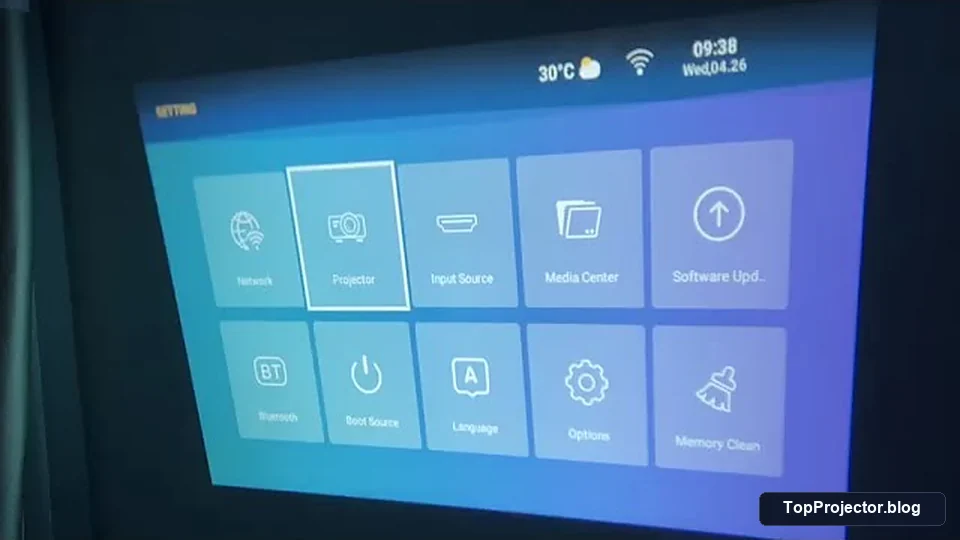
Conversely, keystone correction relies on internal digital scaling algorithms. This process digitally shrinks and distorts the incoming video frame, forcing the projector to discard valuable active pixels.
Understanding this foundational difference prevents costly mistakes. Physical light manipulation preserves every single pixel of your 4K resolution source material, whereas digital scaling inherently sacrifices fine texture detail.
- Lens shift moves physical glass elements inside the optical engine.
- Keystone correction uses digital scaling to square off trapezoidal images.
- Digital correction discards pixel data, reducing overall sharpness.
The Mechanics of Physical Light Bending
High-end projectors use motorized internal gears to shift lenses up, down, left, and right. This keeps the light cone perfectly centered on your projection screen.
Maintaining proper throw geometry ensures your throw ratio remains completely unaffected by alignment adjustments, keeping optical distortion near absolute zero.
- Motorized gears allow precise sub-millimeter adjustments.
- Light cone remains perpendicular to the screen surface.
The Compromises of Digital Pixel Manipulation
When you apply aggressive keystone correction, the projector remaps the video frame onto a smaller grid. Unused pixels become a glowing gray border surrounding your image.
As noted in our Jmgo N1S Ultra review, this glowing digital matte actively degrades your perceived black level performance, severely washing out dark cinematic scenes in dedicated darkrooms.
- Creates unwanted gray light spill outside the active image area.
- Forces scalers to interpolate pixels, causing faint jagged lines.
Native Contrast Preservation and Black Floor Integrity
Contrast is the undisputed king of home theater image depth. Lens shift maintains the optical engine's native contrast ratio by projecting an unscaled, pure rectangular frame.
When digital keystone is engaged, stray photons scatter into the unused border matrix. This elevates your room's black floor and severely compresses your dynamic contrast capability.
Choosing the best high def projector options avoids digital keystone entirely. Preserving deep, ink-black shadow detail requires keeping your light engine operating within pristine optical boundaries.
- Lens shift preserves maximum native contrast capability.
- Keystone correction scatters light and raises black floors.
- Shadow detail suffers significant degradation under digital warping.
Darkroom Performance and Shadow Delineation
In a pitch-black dedicated theater, every lumen of stray light matters immensely. Optical adjustment ensures zero light pollution hits your walls outside the screen border.
Your projector's native ANSI contrast remains fully intact, allowing subtle shadow nuances in dark sci-fi or thriller sequences to shine brilliantly.
- Zero light spill onto acoustic velvet borders.
- Maintains full dynamic range in dark cinematic scenes.
The Penalty of Gray Borders in Dark Environments
Digital keystone projects a faint gray trapezoid of wasted illumination around your image. In dark rooms, this glowing border destroys immersion instantly.
Viewers notice a distinct milky haze where absolute darkness should be, ruining the perceived contrast ratio of premium laser light sources.
- Illuminates velvet screen borders with stray gray light.
- Reduces perceived punch in high-contrast film transfers.
ANSI Lumen Efficiency and Daylight Handling Trade-offs
Projector brightness dictates your ability to combat ambient light in media rooms. Lens shift utilizes 100 percent of your projector's rated ANSI lumens output without waste.
Keystone correction actually throws away a measurable percentage of your peak lumens into the discarded border pixels. This directly reduces your screen's overall HDR punch.
When pairing a projector with high-gain ambient light rejecting screens, maximizing optical efficiency via lens shift is vital for vibrant daytime viewing.
- Lens shift preserves full manufacturer lumen ratings.
- Keystone correction wastes precious light on unused pixels.
- Daytime viewing demands every available lumen.
Living Room Daylight Performance Realities
Living rooms feature windows, white walls, and competing daylight. Losing twenty percent of your projector brightness to digital keystone makes daylight viewing nearly impossible.
Using physical lens shift ensures maximum peak brightness hits your high-gain screen, cutting through ambient room light effectively.
- Preserves maximum foot-lamberts on screen.
- Fights ambient room reflection without wasting output.
HDR Tone Mapping Efficiency
Modern HDR content pushes projectors to their absolute luminance limits. Digital scaling starves the display engine of precise pixel mapping needed for specular highlights.
Optical alignment guarantees that your projector's internal processor dedicates all processing power to accurate HDR tone mapping rather than geometry scaling.
- Maximizes specular highlight brightness in HDR films.
- Prevents processor bottlenecks during heavy tone mapping.
Pixel Mapping Accuracy and High-Resolution Detail Retention
Sharpness defines the modern ultra-high-definition viewing experience. Lens shift preserves 1:1 pixel mapping, ensuring single-pixel lines remain razor-sharp across the entire screen.
Keystone correction forces the video processor to interpolate pixels. This mathematical resampling can introduce subtle moiré patterns and soften fine textual elements.
For PC desktop use or reading subtitles, optical adjustment is vastly superior. Digital correction blurs fine lines and introduces noticeable chromatic aberration at extreme angles.
- Maintains flawless 1:1 pixel mapping across the panel.
- Digital scaling causes subtle edge softening and moiré.
- Text legibility remains pristine with optical adjustments.
Text Clarity and Operating System Scaling
Properly connecting your laptop to a projector highlights alignment flaws immediately. Optical lens shift keeps desktop taskbars crisp, legible, and completely free from chromatic aberration.
Keystone distortion causes uneven text sharpness, making corners blurry while center text appears sharp, frustrating users seeking high display sharpness.
- Keeps operating system text clear and uniform.
- Prevents corner blurring on complex spreadsheet grids.
Minimizing Chromatic Aberration at Extreme Angles
Pushing lens shift to its absolute manufacturer limit can occasionally introduce mild color fringing. However, extreme digital keystone is significantly worse.
Severe digital warping splits light wavelengths, causing noticeable red and blue fringing along high-contrast lines and ruining fine color accuracy.
- Reduces color fringing compared to heavy digital warp.
- Preserves clean color separation on high-contrast edges.
Gaming Responsiveness, Motion Handling, and Latency Impact
Modern console and PC gaming demand ultra-fast response times. Lens shift operates entirely in the optical domain, adding zero processing overhead or input lag.
Heavy digital keystone correction engages the projector's internal video scaler chip. This extra computational step can increase latency, disrupting competitive twitch-based gameplay.
Competitive gamers should always mount projectors squarely and utilize optical adjustments to maintain sub-16ms response times for fast-paced titles.
- Lens shift introduces zero processing latency.
- Digital keystone can increase overall input lag.
- Crucial for maintaining competitive frame rates and responsiveness.
Fast-Paced Motion and Frame Rate Stability
Fast camera pans in racing games require immaculate motion handling. Pure optical alignment prevents any digital processing artifacts from stuttering fast motion.
Keeping the video pipeline clean ensures smooth frame delivery, letting high refresh rate gaming projectors perform at their absolute maximum refresh rate.
- Ensures smooth motion reproduction during fast camera pans.
- Prevents scaler-induced stutter in high-refresh gaming.
Minimizing Latency in Competitive Multiplayer
Competitive shooters rely on split-second reaction windows. Bypassing digital geometry correction eliminates unnecessary video processing delays.
Gamers get the fastest possible response time, ensuring their inputs register instantly on screen without digital lag penalties.
- Maintains ultra-low input lag for competitive shooters.
- Eliminates extra processing steps in the video pipeline.
Architectural Flexibility and Permanent Mount Installation Realities
Every home theater room presents unique architectural challenges. Lens shift provides generous physical adjustment ranges, letting you mount projectors cleanly off-center.
Keystone correction acts as a digital safety net for difficult spaces where physical ceiling mounts are impossible due to ceiling fans or ductwork.
Balancing installation convenience with optical purity requires using our throw distance calculator to verify your room's exact dimensions and available lens shift before drilling permanent holes.
- Lens shift offers flexible placement without optical loss.
- Keystone saves difficult installations with structural obstructions.
- Requires careful pre-planning of screen and mount geometry.
Overcoming Obstacles in Living Room Ceilings
HVAC ducts and light fixtures often block the ideal center-mount position. Horizontal and vertical lens shift let you offset the projector while keeping the image square.
This flexibility saves your installation when perfect symmetrical placement is blocked by immovable architectural features in multi-use living spaces.
- Offsets projector around ceiling fans and ductwork.
- Maintains professional installation aesthetics without compromises.
Portable Setup and Tabletop Convenience
For temporary backyard movie nights or multi-room setups, measuring precise optical angles is impractical. Auto keystone provides instant setup convenience.
While video purists scoff at digital correction, its convenience makes casual pop-up viewing accessible to everyday users without specialized technical knowledge.
- Enables rapid setup for portable backyard movie nights.
- Auto-correction simplifies tabletop projection alignment instantly.
Definitive Room-by-Room Setup Strategy and Final Verdict
Choosing between optical adjustment and digital correction depends entirely on your room environment. Dedicated theaters demand lens shift for maximum contrast and sharpness.
Multi-use living rooms with difficult mounting constraints can leverage moderate keystone correction, accepting minor optical compromises for sheer installation convenience.
Ultimately, investing in a projector with generous optical lens shift pays dividends in long-term image quality, ensuring your home theater looks breathtaking for years.
- Dedicated theaters require lens shift for absolute performance.
- Living rooms benefit from flexible placement options.
- Prioritize optical glass quality during your projector purchasing decision.
The Dedicated Home Theater Blueprint
Build your darkroom setup around a projector featuring robust horizontal and vertical lens shift. Pair it with a fixed frame screen for reference-grade results.
This combination delivers pristine optical performance, satisfying even the most critical home theater enthusiasts and discerning film reviewers.
- Pair lens shift with fixed acoustic velvet screens.
- Achieve reference-grade contrast in controlled lighting.
The Practical Living Room Compromise
If your spouse forbids drilling center ceiling mounts, use a projector with decent lens shift and mild keystone as a fallback.
You strike a practical balance between daily living aesthetics and cinematic immersion, enjoying a great big-screen experience without room disputes.
- Balances interior design harmony with big-screen thrills.
- Uses gentle digital correction only when physically forced.
Frequently Asked Questions
Does lens shift degrade projector image quality?
No, lens shift uses high-grade optical glass to move the image physically, preserving full resolution and native contrast without any digital scaling artifacts.
Why does keystone correction reduce brightness?
Keystone correction digitally rescales the frame and projects unused light onto a gray border, which wastes precious lumens and lowers overall peak brightness.
Can keystone correction cause noticeable input lag for gaming?
Yes, aggressive digital keystone forces the projector's internal scaler to work harder, which can introduce subtle processing delays and increase input lag during fast gaming.
Is vertical lens shift better than digital keystone?
Vertical lens shift is vastly superior because it keeps every pixel sharp and maintains your projector's full dynamic range without sacrificing image fidelity.
When should I use digital keystone correction?
Use digital keystone only for temporary setups or when architectural obstacles make physical ceiling placement impossible, accepting minor resolution loss for convenience.