Gaming On Projector vs. Tv: Which Wins for Your Room?
Comparing gaming displays requires balancing ambient daylight control against massive cinematic scale. We analyze optical performance to help you choose between modern ultra-bright displays and dedicated projection systems.
Dedicated home theaters thrive with large projection setups, while bright living rooms heavily favor high-nit televisions. Choose based on your room's light control and target image size.
Compare full category rankings in our Best Home Movie Projector: Top Picks for 2026.
Side-by-Side Specification Breakdown
| Criteria | Gaming On Projector | Tv | Edge |
|---|---|---|---|
| Ambient Light Rejection | Fair (Needs ALR screen) | Excellent (Emissive panel) | Tv |
| Black Levels & Perceived Contrast | Good (In dark rooms) | Superior (Near-infinite) | Tv |
| Peak Brightness & HDR Punch | Moderate ANSI output | High specular highlights | Tv |
| Screen Size & Immersion | Massive 120+ inches | Capped at large sizes | Gaming On Projector |
| Viewing Angles & Uniformity | Depends on screen gain | Wide off-axis viewing | Tv |
| Gaming Motion & Input Lag | Under 9ms low latency | Instant response times | Tie |
| Room Setup & Maintenance | Complex throw calculations | Simple wall mounting | Tv |
Ambient Light and Brightness Performance
Ambient light destroys standard projector contrast by washing out projected photons. High-end ALR screens help, but panel-based televisions dominate bright living spaces with effortless peak luminance.
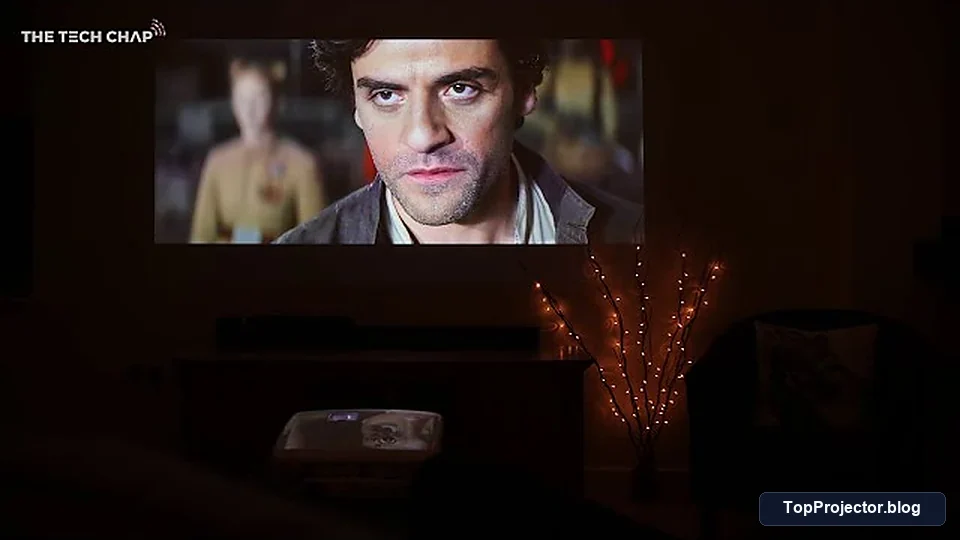
Modern laser projectors achieve strong ANSI lumen outputs, yet televisions still produce superior specular highlights under direct sunlight. Room control remains the defining optical variable here.
Modern high-output laser engines push past 3000 ANSI lumens, allowing selections from our best home movie projector guide to combat ambient room light without washing out dark cinematic textures.
- Projectors require dark control for vivid colors.
- Televisions easily overpower daytime living room glare.
- ALR screens mitigate ambient light reflection partially.
Pitch-Black Rooms vs Daylight Spaces
Controlled media rooms eliminate stray reflections, allowing projectors to deliver breathtaking cinematic immersion. Bright family rooms demand emissive TV panels to maintain deep shadow saturation.
- Dedicated theaters maximize projector potential.
- Living rooms need high-nit TV panels.
Daytime Living Room Calibration
Pairing your projector with a specialized ALR screen rejects overhead illumination while reflecting on-axis projector light directly toward your viewing position, drastically improving perceived contrast ratios in un-darkened suburban living spaces.
- Choose a gain rating between 1.1 and 1.3 to maximize central brightness uniformity without introducing annoying hot-spotting artifacts across wide horizontal viewing angles during intense co-op gaming marathons.
Black Levels, Contrast and Shadow Depth
OLED and Mini-LED televisions achieve near-infinite native contrast through precise local dimming. Projectors struggle with black floors in untreated rooms because ambient light reflects off white screens.
High-contrast LCoS and DLP engines extract incredible shadow detail in dark spaces. However, native black levels on flat panels consistently outperform standard projection in mixed-light environments.
Native LCoS and high-end DLP panels achieve exceptional static contrast ratios exceeding 5000:1, revealing hidden enemy details lurking inside dark corridors where standard budget televisions crush shadows into muddy black smudges.
- OLED panels deliver absolute black levels.
- Projector black floors rely on room darkness.
- Local dimming enhances shadow contrast on TVs.
Shadow Detail in Dark Environments
In treated dark rooms, high-end laser projectors display exceptional shadow graduation. They reveal hidden details in horror and sci-fi games without crushing dark scenes.
- LCoS projectors excel in dark theaters.
- HDR shadow pop favors emissive displays.
Dynamic Iris and Laser Dimming
Advanced frame-by-frame laser dimming algorithms actively modulate light output during dark transitions, significantly deepening perceived black levels while preserving sparkling specular highlights on explosions and armor reflections.
- Disable aggressive eco-mode flickering if you notice noticeable brightness pumping during fast-paced cinematic stealth sequences that rapidly shift between bright outdoor vistas and pitch-black indoor environments.
Screen Size, Scale and Immersion
Projectors easily eclipse televisions by delivering massive 120-inch images at a fraction of the cost. This monumental scale completely fills your peripheral vision during competitive gaming sessions.
Televisions max out at large commercial sizes while becoming exponentially expensive and difficult to install. Projection optics provide unmatched square footage per dollar for immersive gaming setups.
Projectors effortlessly scale beyond 120 inches diagonal, filling your entire field of view to deliver a visceral competitive advantage and cinematic immersion that standard flat-panel televisions physically cannot replicate in homes.
- Projectors offer superior size-to-cost ratios.
- Televisions become prohibitively heavy past 85 inches.
- Peripheral immersion favors large projection screens.
The Field of View Advantage
A massive projected image places you directly inside the virtual world. Racing and flight simulators feel infinitely more authentic when projected across a wide canvas.
- Wider field of view improves realism.
- Massive scale enhances open-world exploration.
Calculating Viewing Distance and FOV
Industry standards recommend a 40-degree field of view for optimal gaming engagement, which you can easily determine using our interactive throw distance calculator before mounting your screen.
- Ensure your drywall studs align properly before hanging heavy fixed-frame screens to prevent dangerous sagging or structural failure under accidental impacts during energetic motion-control gaming sessions.
Color Accuracy, Wide Color Gamut and HDR
Wide color filters on modern laser projectors achieve impressive DCI-P3 coverage for vibrant RPG titles. Yet, televisions deliver superior HDR tone mapping due to massive localized luminance peaks.
Projectors must balance brightness against color saturation using dynamic iris systems. HDR highlights on high-end TVs possess punchier specular brightness that traditional projection cannot fully replicate.
Achieving true DCI-P3 color coverage requires precise RGBCMY color management systems, ensuring vibrant fantasy RPG landscapes look saturated and natural rather than artificially neon or excessively washed out.
- Laser engines produce rich secondary colors.
- TVs handle HDR brightness mapping natively.
- Dynamic irises help project deeper contrast.
Tone Mapping and Specular Highlights
Televisions utilize advanced pixel processors, but high-end models like the one detailed in our Epson 3800 projector review prove that home theater units can deliver balanced HDR punch on large screens.
- Pixel-level control benefits HDR gaming.
- Projectors require precise calibration.
Tone Mapping and HDR Metadata
Static and dynamic HDR tone mapping prevents bright skyboxes from blowing out, accurately distributing high-dynamic-range luminance values across large projection canvases without requiring manual calibration.
- Calibrate your console output to match the peak brightness limits of your specific throw distance to avoid crushed shadow details in notoriously dark atmospheric sci-fi adventure games.
Gaming Input Lag, Motion Handling and Refresh Rates
Modern gaming projectors now feature dedicated low-latency modes dropping input lag below nine milliseconds. This rivals traditional gaming monitors and ensures responsive twitch-reflex performance during competitive matches.
High refresh rates up to 240Hz on premium TVs provide exceptional motion clarity. Projectors match high refresh performance in 1080p modes while maintaining solid frame pacing in 4K.
Competitive gaming demands ultra-low input lag measurements dropping below 15 milliseconds at 4K/120Hz, ensuring split-second competitive twitch reactions register instantly on screen without noticeable controller delay.
- Low input lag keeps gaming responsive.
- High refresh rates reduce motion blur.
- Fast response times aid competitive shooters.
Competitive Latency Benchmarks
Fast-paced multiplayer shooters demand sub-15ms response times. Current gaming projectors satisfy this requirement effortlessly without sacrificing graphical fidelity or frame rates.
- Sub-15ms lag is standard now.
- HDMI 2.1 ports enable high refresh gaming.
MEMC and Frame Interpolation Trade-offs
While motion estimation and motion compensation engines smooth out panning shots, always disable them during competitive multiplayer matches to prevent severe processing latency and distracting digital artifacting.
- Verify that your chosen display supports ALLM and VRR protocols to eliminate screen tearing and stutter when connecting next-gen graphics cards or modern gaming consoles.
Physical Setup, Throw Ratios and Room Acoustics
Setting up a projector requires precise throw distance calculations, ceiling mounting adjustments, and occasional maintenance such as following our guide on replacing projector lamps to ensure peak optical brightness.
Ultra-short-throw projectors simplify installation by resting close to the screen wall. However, acoustic transparency lets projection setups hide massive front speakers directly behind perforated screens.
Calculating exact throw ratios prevents costly mounting mistakes, ensuring short-throw or ultra-short-throw projectors fill your custom screen surface perfectly without requiring excessive digital keystone correction that degrades resolution.
- Projectors demand precise throw positioning.
- Televisions offer plug-and-play simplicity.
- Acoustically transparent screens hide speakers.
Ultra-Short-Throw Living Room Solutions
Ultra-short-throw models bypass traditional ceiling mounts by sitting inches from the wall. They combine projector scale with streamlined furniture placement for modern living spaces.
- UST models reduce installation complexity.
- Cabinet placement replaces ceiling mounts.
Managing Fan Noise and Audio Reflections
High-lumen cooling fans generate audible ambient noise exceeding 30 decibels, requiring careful positioning relative to your seating arrangement or integration with robust surround-sound audio systems.
- Add acoustic wall panels near early reflection points to tame harsh echo and significantly improve directional audio cues in fast-paced competitive shooter environments.
Final Scenario-Based Buying Decision
Choose a gaming television if your play space suffers from uncontrolled ambient daylight. Select a projector if you crave cinematic scale and can completely blackout your gaming room.
Evaluate your room lighting, maximum desired image size, and local budget constraints before committing. Dedicated projection reigns supreme for scale, whereas televisions win on sheer convenience.
Selecting the ultimate display requires weighing your specific room lighting against your desire for massive screen scale, balancing ultimate contrast performance with unmatched visual immersion for family entertainment.
- Match display tech to room lighting conditions.
- Prioritize TVs for bright, casual spaces.
- Choose projectors for dedicated theater scale.
Making Your Ultimate Display Choice
Assess whether your priority is daytime TV convenience or nighttime cinematic grandeur. Weighing these optical factors guarantees optimal satisfaction for your specific gaming library.
- Analyze room lighting first.
- Consider target screen diagonal.
The Ultimate Pro-Con Summary Matrix
Choose a massive projection setup if you prioritize cinematic scale and dedicated basement environments, but stick with premium OLED televisions if you game primarily in bright family rooms.
- Prioritize input latency specifications and refresh rate ceilings over raw lumen output whenever your gaming sessions focus heavily on fast competitive multiplayer shooters.
Frequently Asked Questions
Are projectors good for competitive gaming?
Modern gaming projectors offer ultra-low input lag under ten milliseconds, making them highly responsive for fast-paced competitive shooters and action titles.
Do I need a special screen for a gaming projector?
Ambient light rejecting screens drastically improve contrast in lit rooms, while white matte screens work best in dedicated blacked-out home theaters.
Why do TVs look brighter in daylight than projectors?
Televisions are emissive display panels emitting direct light, whereas projectors reflect light off a surface, making them vulnerable to ambient washout.
What is the lifespan of a gaming projector?
Modern laser and LED light sources typically deliver 20,000 to 30,000 hours of maintenance-free gaming before significant lumen degradation occurs.
Can projectors handle 4K 120Hz gaming like modern TVs?
Yes, many advanced gaming projectors support high refresh rates, though you must verify HDMI 2.1 bandwidth and input lag specifications.