Flat Screen Tv vs. Projector: Which Wins for Your Room?
Choosing between displays requires balancing room illumination against massive screen sizes. Understanding optical physics dictates your ultimate home theater purchase.
Choose a flat screen tv for bright living rooms with ambient light, or pick a projector for dedicated dark rooms craving cinematic immersion.
Compare full category rankings in our Best Christmas Projector Lights: Top Holiday Picks.
Side-by-Side Specification Breakdown
| Criteria | Flat Screen Tv | Projector | Edge |
|---|---|---|---|
| Ambient Light Rejection | Superior panel filtering | Requires specialized ALR screen | Flat Screen Tv |
| Black Levels & Perceived Contrast | Infinite self-emissive pixels | Dependent on room reflections | Flat Screen Tv |
| Peak Brightness & HDR Punch | High nits for bright scenes | Limited by throw distance | Flat Screen Tv |
| Screen Size & Immersion | Capped around 98 inches | Easily scales past 120 inches | Projector |
| Viewing Angles & Uniformity | Wide off-axis retention | Hot-spotting dependent on gain | Flat Screen Tv |
| Gaming Motion & Input Lag | Sub-5ms response times | Higher processing latency | Flat Screen Tv |
| Room Setup & Maintenance | Simple wall mounting | Complex throw calculations | Flat Screen Tv |
Navigating Ambient Light and Surface Brightness
Modern living spaces challenge optical displays with intrusive daylight. Direct sunlight washes out fine details, destroying perceived contrast ratios across standard projection setups.
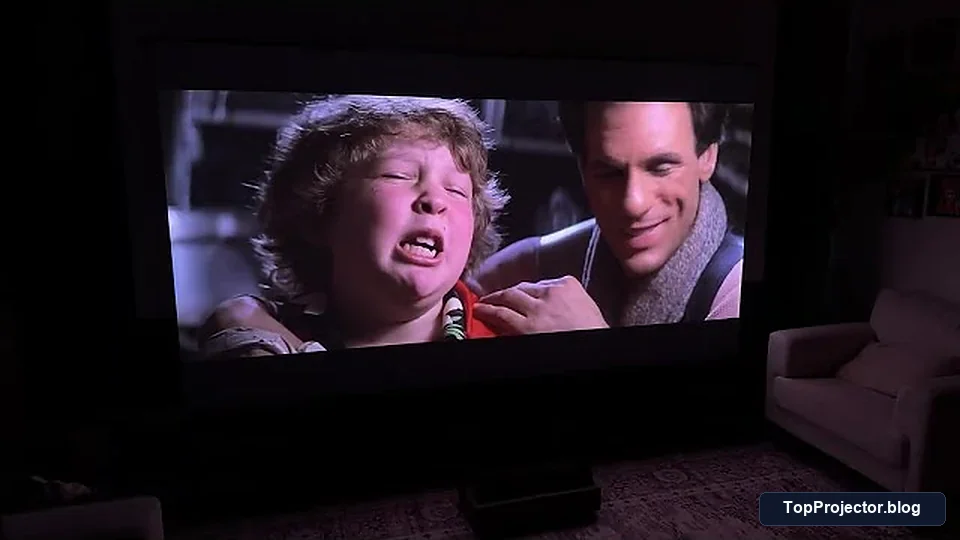
Flat screen panels utilize internal polarizers and high nit outputs to combat room glare. This ensures vivid highlights even during bright daytime viewing sessions.
Projectors rely on reflected light rather than direct emission. Pairing them with an ambient light rejecting screen is mandatory for daytime functionality.
When battling daytime reflections, flat screens easily maintain over 500 nits of peak luminance. Conversely, standard projectors require specialized ALR screens to reject overhead ambient illumination effectively.
- Flat screens maintain contrast under direct window light.
- Standard projectors wash out without specialized ALR surfaces.
- High lumen lasers improve daylight performance significantly.
- Pair high-output laser engines with angular reflective materials.
- Calculate screen gain carefully to avoid hot-spotting artifacts.
Pitch-Black Theater Versus Living Room Daylight
Controlled theater rooms allow projectors to shine with reference-grade accuracy. Light-absorbing velvet walls prevent reflections from degrading dark scenes.
Living rooms demand high ANSI lumens and specialized gain screens to maintain punchy imagery without closing blackout curtains.
- Dedicated rooms maximize projector contrast potential.
- Living rooms require robust anti-glare measures.
Direct-View Lux vs Projected Foot-Lamberts
Calculating proper surface brightness demands balancing true ANSI lumens against your total screen square footage. Living rooms need at least 35 foot-lamberts for punchy daytime HDR viewing.
- Measure ambient light lux levels before buying white matte materials.
- Verify peak white output using calibrated cinema picture modes.
Analyzing Contrast Ratios and Black Floor Depth
Black level performance dictates the perceived depth and realism of cinematic content. OLED displays achieve true absolute black by turning off individual pixels completely.
Projectors struggle against ambient room reflection bouncing off white walls. Even high-end laser models suffer elevated black floors in untreated residential spaces.
Achieving deep shadows with a projector requires meticulous room treatment. For festive seasonal displays, consider setting up our holiday decorations guide to explore vibrant outdoor laser fixtures.
OLED flat panels achieve near-infinite native contrast by turning off individual pixels completely. Projectors struggle with black floors because ambient light bounces off white projection surfaces.
- OLED panels offer infinite native contrast ratios.
- Projectors require dark room boundaries for deep blacks.
- Stray light reflections degrade shadow detail.
- Use velvety black border frames to absorb light bleed.
- Calibrate gamma curves specifically for dark, bat-cave environments.
Shadow Detail and HDR Tone Mapping
High dynamic range content pushes displays to render bright highlights alongside inky shadows. TVs handle complex tone mapping natively using high peak nits.
Projectors must compromise on peak brightness to preserve shadow visibility in dark sequences, requiring careful dynamic iris calibration.
- TVs excel at local dimming zone control.
- Projectors utilize sophisticated dynamic contrast algorithms.
Managing Dynamic Iris Systems
Modern home theater projectors use mechanical dynamic iris mechanisms to clamp down light output during dark scenes. This hardware trick noticeably improves perceived black level depth.
- Listen for mechanical iris ticking during quiet film sequences.
- Test native contrast performance before enabling adaptive dimming features.
Screen Size Scale and True Cinematic Immersion
Physical screen size remains the ultimate advantage for dedicated home projection systems. Exceeding one hundred inches with a flat panel incurs extreme financial costs.
Projectors effortlessly scale from one hundred to one hundred fifty inches without exponential price scaling or structural wall reinforcement challenges.
Massive diagonal sizes fill your natural field of view, replicating commercial cinema geometry directly inside your residential environment.
Achieving a massive 120-inch diagonal canvas on a flat panel remains economically impractical and structurally terrifying. Projectors deliver this sweeping cinematic scale with effortless spatial efficiency.
- Projectors deliver unmatched inches per dollar.
- Flat screens become unmanageable past ninety-eight inches.
- Cinematic immersion scales directly with field-of-view coverage.
- Measure ceiling height limitations before ordering fixed frame screens.
- Account for projector zoom lens shift tolerances during planning.
Viewing Distance and Resolution Perceived Density
Sitting close to a massive projected image requires adequate pixel density. Use our throw distance calculator to determine the ideal screen placement for your room.
Flat screens maintain razor-sharp clarity even at close viewing ranges due to ultra-fine pixel pitches and high subpixel fill factors.
- 4K resolution is vital for large projection screens.
- TVs offer pristine sharpness at short distances.
Throw Ratios and Room Geometry
Selecting the right throw ratio determines exact lens-to-screen placement distances. Ultra-short-throw models sit inches away, while standard lenses demand deep room throw calculations.
- Calculate lens shift ranges to prevent severe digital keystone degradation.
- Ensure cabinet furniture safely accommodates ultra-short-throw console depths.
Color Accuracy, Wide Gamuts, and HDR Rendering
Accurate color reproduction ensures cinematic content matches the director's original grading intent. Both display types support wide color gamuts exceeding DCI-P3 standards.
Laser projectors utilize multi-diode engines to cover extensive color spaces without losing brightness. Color filters on premium TVs achieve similar spectral purity.
Calibrating grayscale tracking and white balance remains critical for achieving reference-grade color fidelity across all viewing sources.
Premium flat screens effortlessly cover 100% DCI-P3 color volumes using quantum dot enhancements. Projectors often sacrifice peak brightness when engaging cinema filters for wide gamuts.
- Laser light engines expand usable color volume.
- Professional calibration unlocks true cinematic color.
- HDR metadata handling varies significantly by display.
- Target Delta E values below three for precise calibration accuracy.
- Verify native color wheel segment speeds to prevent eye fatigue.
Laser Versus Lamp Color Stability Over Time
Traditional lamp projectors degrade in brightness and shift color temperature rapidly over hundreds of hours of usage.
Modern solid-state laser engines maintain consistent color output and brightness across twenty thousand hours of reliable operation.
- Lamps require frequent calibration and replacement.
- Solid-state lasers ensure long-term color stability.
Tone Mapping and Laser Engines
RGB triple-laser projectors achieve stellar color saturation without color-wheel rainbow artifacts. Proper static tone mapping remains essential for rendering 4K HDR sources correctly.
- Update firmware to secure improved dynamic tone mapping algorithms.
- Measure wide color filter light loss percentages during setup.
Gaming Performance, Motion Handling, and Input Lag
Competitive gaming demands rapid response times and minimal input latency to ensure fluid control execution. Modern flat screens easily achieve sub-five millisecond delays.
Projectors have historically suffered from high input lag due to internal video processing. Recent gaming-focused models now feature low latency modes under twenty milliseconds.
Motion interpolation helps reduce judder during fast camera pans, though purists often disable processing to avoid artifact generation.
Competitive gamers demand ultra-fast response times that modern flat panels deliver effortlessly. Many high-end gaming projectors now achieve competitive 15ms input lag at 4K/60Hz.
- Flat screens dominate competitive console and PC gaming.
- Projectors now offer dedicated low-lag gaming modes.
- Motion handling requires careful balance of frame rates.
- Disable unnecessary image processing features to minimize controller latency.
- Check native panel response times to prevent distracting motion blur.
High Refresh Rate Support for Modern Consoles
Current generation gaming consoles support high refresh rates for ultra-smooth motion. Make sure you read our laptop connection tutorial to optimize your HDMI 2.1 bandwidth.
Select high-end ultra-short-throw projectors now incorporate high refresh rates, bridging the gap between massive screens and responsive gaming.
- HDMI 2.1 connectivity is essential for modern gaming.
- High refresh rates reduce motion blur noticeably.
High Refresh Rates and Variable Sync
Modern projectors support 120Hz refresh rates for ultra-smooth motion handling during fast-paced sessions. Always verify ALLM support before connecting your next-generation gaming console.
- Confirm HDMI bandwidth limitations when running high frame rate signals.
- Test VRR functionality to eliminate annoying screen tearing artifacts.
Room Integration, Installation Complexity, and Maintenance
Physical installation complexity differs vastly between these two display categories. Mounting a flat screen requires sturdy wall studs and careful weight distribution.
Projectors demand precise throw ratio calculations, lens shift adjustments, and secure ceiling mounts or dedicated media furniture placement.
Acoustic transparency allows projection screens to hide center channel speakers directly behind the fabric, matching commercial cinema audio setups.
Hanging a flat screen is straightforward, but anchoring a massive ceiling projector requires precise engineering. Regular air filter maintenance is also mandatory for projector longevity.
- Flat screens offer straightforward wall mounting solutions.
- Projectors require precise throw distance calculations.
- Acoustic screens improve home theater audio staging.
- Leave adequate clearance space around projector exhaust ventilation vents.
- Choose motorized screen drop mechanisms for clean living room aesthetics.
Ultra-Short-Throw Projectors as Hybrid Solutions
Ultra-short-throw models sit inches from the wall, simplifying traditional ceiling installation hurdles. They blend the convenience of a TV with projection sizing.
Pairing an ultra-short-throw unit with a specialized lenticular screen preserves contrast against ambient ceiling illumination effectively.
- UST units eliminate complex ceiling wiring runs.
- Lenticular screens reject overhead room light.
Acoustic Treatment and Thermal Noise
Powerful cooling fans generate noticeable fan noise during quiet movie scenes. Proper equipment placement keeps thermal decibel levels below your room noise floor.
- Construct hush boxes if high lamp mode generates excessive sound.
- Monitor operating temperatures inside enclosed media cabinet spaces.
Scenario-Based Buying Guide for Your Specific Space
Selecting the correct display technology depends entirely on your room geometry and lighting conditions. Bright multipurpose living rooms heavily favor flat panels.
Dedicated basement theaters or controlled environments heavily reward immersive scale. For instance, our BenQ HT4550i review highlights brilliant LED projection performance in dark rooms.
Evaluate your primary usage habits between casual daytime viewing and dedicated evening movie sessions before finalizing your purchase decision.
Bright multi-purpose family rooms heavily favor high-output flat screens for daytime visibility. Dedicated basement media rooms reward investments in acoustically transparent screens.
- Match display technology to your room lighting.
- Prioritize screen size for dedicated movie spaces.
- Consider daily content habits before buying.
- Prioritize flat panels if daytime sports viewing dominates your schedule.
- Choose projection systems if immersive movie scale is your priority.
The Ultimate Decision Matrix for Buyers
Choose a large flat screen tv if daytime viewing and effortless gaming are your primary priorities. Reliability and simplicity define the television experience.
Select a high-output projector if massive cinematic scale and immersive movie nights outweigh the need for bright ambient room performance.
- TVs win for daytime versatility and gaming.
- Projectors win for monumental cinematic scale.
Ultimate Decision Matrix
Weigh your primary viewing habits against absolute spatial limitations before making final hardware purchases. Match your specific ambient lighting conditions to the correct display tech.
- Audit seating distances to justify large projection screen investments.
- Evaluate total cost of ownership including replacement lamp expenses.
Frequently Asked Questions
Can projectors replace living room televisions for daytime viewing?
Projectors can work in daylight only when paired with specialized ambient light rejecting screens and high-lumen laser light engines. However, flat screens still outperform them in bright rooms.
How long do modern projector light sources last compared to TVs?
Modern solid-state laser and LED projectors typically last twenty thousand hours before noticeable degradation occurs. This lifespan easily matches the operational longevity of typical flat screen televisions.
Are projectors suitable for competitive fast-paced console gaming?
Recent gaming projectors feature specialized low latency modes under twenty milliseconds. While flat screens remain faster, modern projectors handle casual and cinematic gaming exceptionally well.
What throw ratio do I need for a hundred-inch image?
A standard throw ratio between one point two and one point five requires roughly ten feet of distance. Ultra-short-throw models sit mere inches away from the projection surface.
Do projectors require professional acoustic room treatment?
Reflective white walls degrade projector contrast by bouncing stray light back onto the screen. Applying dark velvet treatments dramatically improves black floor depth and perceived contrast.