Ansi vs. Lumen: Which Wins for Your Room?
Understanding the strict difference between standardized ANSI lumens and generic light source ratings prevents costly home theater projection mistakes in uncontrolled living room environments.
Standardized ANSI measurements win for honest real-world performance, while generic manufacturer lumens often exaggerate actual optical output. Always demand certified ANSI ratings before purchasing any home cinema projector.
Compare full category rankings in our Best Golf Simulator Projector: Top Picks for 2026.
Side-by-Side Specification Breakdown
| Criteria | Ansi | Lumen | Edge |
|---|---|---|---|
| Ambient Light Rejection | Precise benchmarking | Vague marketing metrics | Ansi |
| Black Levels & Perceived Contrast | Honest contrast ratios | Inflated peak numbers | Ansi |
| Peak Brightness & HDR Punch | True 1500-3000 ANSI | Fake 5000+ source lumens | Ansi |
| Screen Size & Immersion | Calculated throw geometry | Unreliable brightness drops | Ansi |
| Viewing Angles & Uniformity | Strict white-field tests | Center-only spot readings | Ansi |
| Gaming Motion & Input Lag | Consistent light output | Unstable lamp modes | Ansi |
| Room Setup & Maintenance | Predictable bulb lifespan | Premature dimming surprises | Ansi |
Decoding the Standardization of Optical Output Metrics
Navigating home theater specifications requires absolute clarity regarding how manufacturers measure light output. Generic light source lumens frequently mislead buyers by measuring bare diodes inside unsealed optical engines.
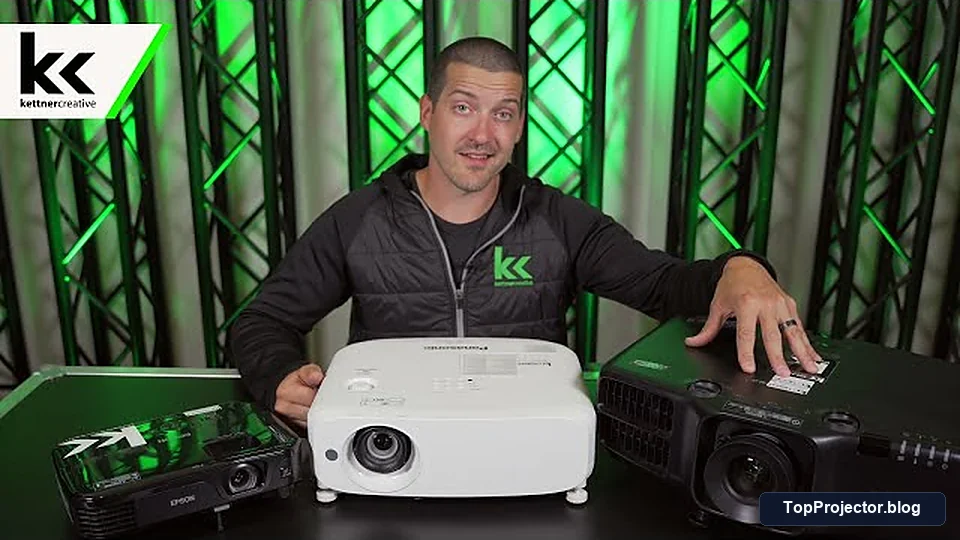
Conversely, rigorous testing organizations enforce strict protocols to calculate true ANSI illumination across a standard nine-point grid. This distinction separates professional projection gear from substandard consumer novelty items.
Ignoring these testing standards usually results in washed-out images when ambient room light floods your viewing space. Smart enthusiasts always prioritize lab-verified optical metrics over marketing hype.
Understanding ANSI lumens requires analyzing exact light sensor placement across a standardized 9-point grid. Try our ansi lumens room calculator to determine ideal output for your space.
- ANSI uses a rigid nine-point grid measurement standard
- Raw lumens measure diode output directly at the source
- Standardized ratings guarantee real-world projection accuracy
Laboratory Testing Protocols Versus Factory Claims
Independent testing laboratories follow strict guidelines to ensure ANSI compliance under controlled darkroom environments. Manufacturers pushing raw numbers often bypass these expensive third-party audits entirely.
Understanding this testing gap protects your investment from deceptive marketing practices found across discount online storefronts. Real optical power depends entirely on how light exits the final projection lens.
- Third-party audits verify true optical output
- Factory claims often exaggerate maximum diode potential
The ANSI Testing Protocol Explained
Manufacturers measuring peak white often bypass ISO standards, but true ANSI certification demands exact ambient temperature controls and calibrated light meters measuring pure white rectangles at a 100-inch diagonal.
Ambient Light Rejection and Daytime Performance Realities
Battling daytime illumination demands high peak brightness levels combined with specialized optical screen materials. Standard uncertified projectors crumble instantly when placed in rooms with uncontrolled natural sunlight.
True ANSI-rated projectors deliver predictable light output necessary to maintain saturated colors even with window blinds open. Weak light engines simply lack the physical horsepower to punch through ambient glare.
Pairing your projection system with an ambient light rejecting screen maximizes contrast ratios during daylight viewing sessions. This combination transforms ordinary living rooms into functional daytime media centers.
Fighting daytime glare requires pairing high ANSI lumens with specialized gear like our best golf simulator projector recommendations featuring microscopic optical filters that absorb off-axis ambient illumination effectively.
- High ANSI output overcomes moderate daytime window light
- Specialized ALR screens absorb off-axis ambient glare
- Uncertified lumens lead to washed-out gray images
Living Room Daylight Versus Pitch-Black Basements
Controlling ambient light transforms a basic projection setup into a reference-grade cinematic environment. Dedicated home theaters require lower ANSI outputs to prevent eye strain during dark scenes.
Bright family rooms demand robust laser illumination engines exceeding two thousand certified lumens to combat daylight reflections effectively. Matching projector power to room lighting ensures optimal picture fidelity.
- Basement theaters thrive on moderate, accurate light levels
- Living rooms require aggressive lumen output and ALR screens
Understanding ALR Gain Factors
Selecting a screen with 0.8 gain improves black levels in controlled spaces, whereas 1.3 gain surfaces amplify center-cone brightness for rooms fighting persistent overhead windows and daylight intrusion.
Black Floor Integrity, Native Contrast, and Shadow Detail
Achieving deep black levels requires exceptional native contrast performance rather than sheer brute-force light output. Pumping up raw bulb power often elevates the black floor, turning deep shadows into murky gray washes.
Certified optical engines balance high ANSI brightness with superior dynamic iris control. Read our optoma uhd38x review to see how this balance delivers cinematic depth that cheap projectors destroy.
Cinematic immersion depends heavily on maintaining strong separation between brilliant specular highlights and dark shadow regions. Ignoring contrast specs in favor of high raw lumen counts ruins movie night.
High ANSI lumens mean nothing if your native contrast ratio fails to distinguish dark shadow details, often washing out cinematic night scenes in moderately treated media rooms.
- High raw lumens can ruin deep black floor levels
- Native contrast preserves intricate shadow details in dark scenes
- Dynamic iris systems enhance perceived contrast dramatically
Balancing Specular Highlights with Deep Shadow Performance
Mastering HDR content requires projectors to deliver brilliant specular highlights alongside inky black levels. Certified optical designs achieve this without clipping bright image details or crushing dark gradients.
Generic high-lumen units often blow out bright highlights while simultaneously raising the ambient room black floor. True optical engineering ensures both extremes coexist harmoniously on screen.
- HDR content demands wide dynamic range capabilities
- Specular highlights require precise optical modulation
Dynamic Iris vs Native Panels
Utilizing a mechanical dynamic iris physically restricts unwanted light during dark sequences, expanding effective contrast ratios beyond what native DMD chips can achieve alone in light-colored rooms.
HDR Tone Mapping, Color Gamut, and Visual Punch
High dynamic range metadata pushes modern home theater projectors to their absolute optical limits. Accurate color gamut coverage ensures cinematic releases look exactly as directors intended on your silver screen.
Uncalibrated high-lumen projectors frequently distort color accuracy by pushing excessive green and blue spectrums. This artificial tinting destroys natural skin tones while chasing misleading brightness figures.
Relying on standardized ANSI measurements guarantees that color reproduction remains faithful across extended viewing sessions. Precision optics prevent thermal color drift during marathon movie viewing events.
Effective HDR tone mapping bridges the gap between high lumen outputs and DCI-P3 color gamut coverage, ensuring specular highlights pop without clipping crucial detail in bright movie scenes.
- Accurate color calibration prevents unnatural skin tones
- HDR tone mapping preserves critical highlight gradations
- Thermal management stabilizes color output over time
Wide Color Filters Versus Maximum Brightness Modes
Enabling cinema color filters typically sacrifices a portion of total light output for superior color purity. Choosing maximum brightness mode floods the screen but degrades overall color saturation fidelity.
Understanding this fundamental optical compromise helps you select the ideal preset for critical movie watching versus casual sports viewing. Balance is essential for a satisfying home theater experience.
- Cinema filters trade brightness for rich color accuracy
- Bright modes suit sports but compromise cinematic hues
Laser Phosphor vs Lamp Color Stability
Modern RGBRGB color wheels and solid-state laser diodes maintain accurate white points over thousands of hours, preventing the severe color shift common in aging UHP lamps.
Motion Handling, Input Lag, and Gaming Responsiveness
Modern console and PC gaming demands exceptionally low input lag figures alongside stable frame rates. Projectors utilizing erratic lamp controls can introduce stutter and motion blur during fast-paced competitive matches.
Certified ANSI illumination ensures consistent brightness across all gaming modes without unexpected flickering or dimming artifacts. Fast-twitch gaming requires instantaneous response times from your display device.
Pairing high refresh rates with robust optical output creates a fluid, immersive gaming environment on massive screens. Serious gamers must evaluate motion processing alongside standard brightness specifications.
Competitive gaming projectors require keeping input lag below 16ms at 4K/60Hz resolution, ensuring split-second inputs register instantly without inducing motion blur or frustrating visual delays.
- Low input lag ensures competitive gaming responsiveness
- Consistent illumination prevents distracting flicker during play
- High refresh rates deliver smooth motion handling
Console Gaming in Bright Rooms Versus Dark Dens
Gaming during daytime hours requires high ANSI output to maintain visible HUD elements and menus. Darkened gaming dens benefit from lower light outputs that prevent eye fatigue during long sessions.
Selecting a versatile projector with adjustable laser banks lets you optimize performance for any time of day. Flexibility ensures your gaming rig handles every lighting condition effortlessly.
- Daytime gaming demands high brightness and contrast
- Dark dens allow relaxed lighting and comfortable sessions
Frame Interpolation Trade-Offs
Activating motion smoothing creates the dreaded soap opera effect, forcing serious home theater enthusiasts to disable aggressive frame interpolation to preserve authentic 24p cinematic judder.
Throw Ratios, Screen Size, and Physical Room Geometry
Calculating correct throw distances ensures your projector fills the screen without wasting valuable optical energy. Short-throw and ultra-short-throw models bend light efficiently within tight urban living spaces.
Standard throw lenses require longer room dimensions to achieve massive cinematic screen sizes above one hundred inches. Understanding throw ratio geometry prevents costly installation mistakes during setup.
Improper placement leads to severe brightness loss and awkward keystone correction artifacts that degrade image resolution. Careful planning guarantees pristine optical geometry from your chosen seating position.
Calculating exact throw ratios prevents costly installation errors, ensuring a 1.2 to 1.8 lens fills your desired screen size without requiring digital keystone correction that degrades resolution.
- Throw ratios determine exact projector placement distance
- Ultra-short-throw models fit snugly against living room walls
- Proper geometry avoids digital keystone resolution loss
Calculating Throw Distance and Optical Zoom Flexibility
Optical zoom lenses provide valuable installation flexibility when mounting projectors to finished ceilings. Manual lens shift features let you align images perfectly without moving heavy mounting hardware.
Evaluating zoom range before purchasing guarantees your projector fits your specific room dimensions safely. Precise placement maximizes optical efficiency and overall image sharpness.
- Optical zoom preserves native resolution integrity
- Lens shift simplifies complex ceiling mount alignments
Lens Shift Flexibility
Generous optical lens shift exceeding ±50% vertical allows flexible ceiling mount placements, letting you align the projected image perfectly without tilting the chassis.
Making the Final Projector Selection Decision
Choosing between unverified manufacturer claims and certified metrics determines your home theater satisfaction. Reviewing our what is ansi in projector guide guarantees honest ANSI specifications and long-term reliability.
Ignore inflated lumen marketing terms that obscure true optical capabilities in everyday living room environments. Invest in quality engineering designed to deliver stunning cinematic visuals for years ahead.
Your home deserves projection technology grounded in strict optical science rather than deceptive advertising numbers. Build your dream setup with confidence by demanding certified performance standards.
Balancing high ANSI lumens against your room's ambient light control ensures long-term satisfaction, matching optical hardware capabilities with your specific dedicated theater or living room environment.
- Always demand verified ANSI specifications before buying
- Avoid inflated generic lumen marketing numbers entirely
- Invest in proven optical engineering for lasting enjoyment
Summary Checklist for Home Theater Buyers
Review our comprehensive checklist to verify critical projector specifications before finalizing your purchase decision today. Checking ANSI ratings, throw ratios, and contrast ensures a flawless home cinema setup.
Take time to measure your room lighting and seating distance for optimal results. Proper planning guarantees an immersive viewing experience that rivals commercial movie theaters.
- Verify lab-tested ANSI lumen ratings first
- Match throw ratios to your exact room size
Prioritizing Core Optics
Prioritizing true native contrast over inflated peak brightness numbers guarantees superior cinematic immersion, making your final projector investment truly worthwhile for movie nights.
Frequently Asked Questions
What is the primary difference between ANSI lumens and regular lumens?
ANSI lumens represent a strict standardized testing protocol across a nine-point grid, whereas regular lumens often measure uncalibrated raw diode output at the source. Insisting on ANSI ratings guarantees honest, real-world projector brightness in your home theater.
How many ANSI lumens do I need for a bright living room?
Bright living rooms with ambient daylight generally require at least 2,500 to 3,000 ANSI lumens paired with an ambient light rejecting screen. Darker dedicated media rooms can easily thrive with 1,500 certified lumens.
Can high manufacturer lumen ratings damage contrast performance?
Yes, pushing raw uncalibrated light output often elevates the black floor, turning deep cinematic shadows into washed-out gray tones. True optical engineering balances high ANSI brightness with strong native contrast ratios.
Why do some budget projectors look dim despite huge lumen claims?
Budget manufacturers frequently advertise theoretical LED diode output rather than actual ANSI-certified light reaching the screen. Always check independent reviews for true optical output before buying discount gear.
Does throw distance affect the perceived brightness of my projector?
Mounting a projector further back enlarges the image area, which naturally decreases foot-lambert brightness across the screen surface. Understanding throw geometry limits ensures optimal image punch and clarity.