80 Inch Tv vs. Projector: Which Wins for Your Room?
Choosing between an 80-inch flat panel and a dedicated projection system requires balancing room ambient light, throw geometry, and your desired cinematic scale.
Choose the 80-inch flat panel for daytime living room brightness, while a home theater projector delivers unmatched cinematic immersion in controlled lighting environments.
Compare full category rankings in our Best Projectors For Daylight: Bright Room Picks.
Side-by-Side Specification Breakdown
| Criteria | 80 Inch Tv | Projector | Edge |
|---|---|---|---|
| Ambient Light Rejection | High native panel contrast resists glare | Requires specialized ALR screens to combat ambient wash | 80 Inch Tv |
| Black Levels & Perceived Contrast | Deep native blacks via local dimming zones | Elevated black floor in rooms with white walls | 80 Inch Tv |
| Peak Brightness & HDR Punch | High nits output for specular HDR highlights | Limited ANSI lumens scaled over massive surfaces | 80 Inch Tv |
| Screen Size & Immersion | Fixed diagonal limits field-of-view expansion | Scalable from 100 inches to 150 inches easily | Projector |
| Viewing Angles & Uniformity | Off-axis color shift on wide viewing angles | Perfect off-axis uniformity using matte white surfaces | Projector |
| Gaming Motion & Input Lag | Sub-10ms response with 120Hz or 144Hz panels | Higher input lag on older models, improving now | 80 Inch Tv |
| Room Setup & Maintenance | Heavy wall mounting and careful stud placement | Requires precise throw calculations and alignment | 80 Inch Tv |
Ambient Light Behavior and Optical Surface Rejection
Managing daytime lighting is critical when evaluating a massive display against a projection setup in standard living environments.
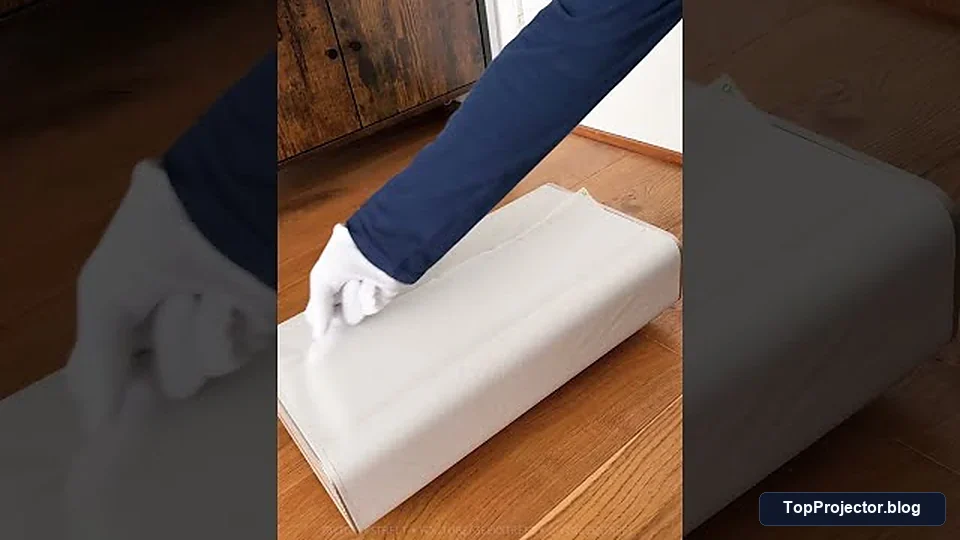
An 80-inch flat panel emits its own direct light, easily cutting through sunlit rooms without washing out dark scenes.
Projectors bounce reflected light off a screen surface, making them vulnerable to ambient room illumination that dilutes contrast ratios.
When evaluating ambient light rejection screens, projector setups require specialized optical coatings to combat washing out from overhead illumination, unlike self-emissive television panels that easily maintain deep 1,000-nit highlights.
- Flat panels generate self-illuminated pixels resisting room wash
- Standard projection relies on reflected light needing dark control
- Ambient light rejecting screens mitigate washout but cost more
- Gain ratings between 0.8 and 1.2 balance black levels with brightness.
- Micro-perforated screens allow hidden center channel audio placement behind the image.
Living Room Daylight vs. Basement Theater
To combat difficult daylight, explore our best projectors for daylight guide featuring high ANSI lumens outputs and specialized screens designed to maintain strong contrast ratios in illuminated living spaces.
Flat panels maintain punchy daytime visuals because their surface coatings absorb ambient room light while emitting high nits.
- Daytime windows ruin standard projection contrast
- Flat panels retain vibrant daytime pop
ALR Material Selection
Choosing the correct angular-reflective fabric depends entirely on your seating angles, as retro-reflective surfaces reflect light directly back to the lens, optimizing peak contrast in narrow rooms.
- Ambient rejection filters block up to 90 percent of off-axis room light.
- Motorized tab-tensioned frames prevent annoying wave wrinkles over time.
Black Floor Performance, Contrast and Shadow Detail
Achieving deep black levels determines how cinematic dark movie sequences appear on your chosen display technology in the evening.
Modern flat panels utilize advanced local dimming zones to achieve near-infinite black floors and pristine shadow detail reproduction.
Projectors suffer from stray light bouncing off white room boundaries, raising the black floor and compressing dynamic range.
Achieving deep ANSI contrast remains a historic challenge for projection systems in non-dedicated rooms, whereas direct-view televisions effortlessly deliver stark black floors exceeding 0.05 nits without ambient interference.
- Local dimming zones create inky blacks on flat TVs
- Stray room reflections elevate projector black levels
- Dedicated theater rooms with dark velvet improve projector contrast
- Laser dimming instantly modulates light output based on APL data.
- Velvet-wrapped border frames eliminate light scatter and preserve perceived contrast.
The Impact of Room Boundaries on Contrast
White ceilings and side walls reflect light back onto a projector screen, washing out dark shadow details during complex scenes.
Flat panels avoid room reflection penalties entirely because their light emission is strictly directional toward the viewer.
- White walls destroy native projector contrast
- Directional panel emission isolates light output
Dynamic Iris Control
Modern laser projectors deploy dynamic iris mechanisms and advanced laser dimming algorithms to lower black floors during dark movie scenes, dramatically improving shadow detail in controlled environments.
- Static contrast ratios rarely exceed 2,500:1 on standard lamp units.
- Black level performance improves exponentially inside fully bat-caved theater rooms.
Peak Brightness, Color Volume and High Dynamic Range
High dynamic range content demands substantial peak brightness to render specular highlights like explosions or sunlight realistically.
Flat panels deliver high local luminance across small areas, making HDR grading pop with incredible visual intensity.
Projectors spread limited ANSI lumens across a massive canvas, diluting peak brightness and muting impactful HDR highlights.
Measuring true color volume reveals distinct operational boundaries between laser projectors utilizing wide-gamut filters and quantum dot televisions boasting sustained 2,000 lumens of HDR peak brightness capability.
- Flat displays achieve high nit counts for striking HDR
- Projectors struggle to deliver true specular highlights
- Color volume remains wider on modern quantum dot TVs
- BT.2020 color space coverage demands filter insertion reducing total brightness.
- Dynamic tone mapping preserves starfields without clipping bright cloud details.
Measuring Real-World ANSI Lumens and Nits
Comparing television nits against projector ANSI lumens requires understanding that surface area drastically dilutes perceived brightness intensity.
An 80-inch display concentrates light efficiently, whereas a projector must illuminate a surface twice as large.
- Nits measure direct panel surface luminance
- ANSI lumens measure total projector light output
HDR Tone Mapping
Projectors must perform complex tone mapping to compress high dynamic range metadata onto passive matte screens, whereas televisions directly drive individual pixels for specular highlight accuracy.
- Static metadata processing handles 1,000-nit mastering curves effectively.
- Dynamic processors dynamically adjust brightness per frame using HDMI eARC.
Screen Geometry, Viewing Distances and Cinematic Immersion
True cinematic immersion depends heavily on filling your natural field of view with moving images during epic movie sequences.
An 80-inch television provides a great size boost over older displays but remains physically constrained to its rigid frame.
Projectors scale effortlessly past 120 inches, enveloping your entire field of view for an authentic commercial cinema experience.
Calculating optimal throw ratios and seating distances ensures comfortable viewing angles, with cinematic projection easily scaling past 120 inches while fixed-size televisions remain strictly locked at smaller dimensions.
- Flat panels are locked to their physical dimensions
- Projectors offer scalable image sizes up to 150 inches
- Wider fields of view dramatically boost home theater immersion
- Ultra-short-throw models require perfectly flat walls to prevent geometric distortion.
- Calculate seating distance by multiplying screen width by 1.2 for immersion.
Calculating Throw Ratios and Room Layouts
Before mounting hardware, use our interactive throw distance calculator tool to determine exact lens placement and achievable screen sizes for your specific room dimensions.
Flat panels require zero optical calculation, simply needing sturdy wall studs or a heavy-duty furniture media console.
- Throw ratios determine lens distance from the screen
- Flat panels eliminate optical geometry planning
Field of View Math
Replicating a commercial cinema requires a 40-degree field of view, which becomes exceptionally expensive with flat panels but straightforward for standard long-throw projector configurations.
- Standard throw lenses need at least 12 feet of unobstructed room depth.
- Shorter throw ratios minimize human shadow obstruction during casual viewing.
Motion Resolution, Refresh Rates and Competitive Input Lag
Fast-moving sports and competitive video games demand low response times and high refresh rates to prevent visual blurring.
Flat panels excel here, featuring sub-10ms input lag and native 120Hz refresh rates with rapid pixel response times.
Modern laser projectors have narrowed this performance gap significantly, though ultra-low input lag remains a TV strong suit.
Competitive gaming demands minimal input lag and rapid pixel response times, areas where modern gaming monitors and TVs excel with 120Hz refresh rates over projector options.
- TVs feature ultra-low input lag for competitive gaming
- High refresh rates keep fast motion pristine on panels
- Projectors are catching up with dedicated gaming modes
- HDMI 2.1 ports enable 4K at 120Hz signal processing seamlessly.
- Low latency modes disable heavy video processing to reduce input delay.
Console Gaming and High Frame Rate Performance
Modern gaming consoles push high frame rates that test the limits of display processing pipelines in fast-paced titles.
Flat panels handle variable refresh rates seamlessly, whereas some projectors introduce processing lag during motion interpolation.
- Variable refresh rate support is standard on TVs
- Processing lag can affect competitive projector gaming
Frame Interpolation and Latency
While high-end projectors now achieve sub 20-millisecond latency in fast-response game modes, televisions maintain superior motion resolution through black frame insertion and instantaneous response capabilities.
- OLED panels maintain pixel response times under 0.1 milliseconds consistently.
- Projector pixel switching relies on DMD chip mechanics for motion.
Acoustic Performance, Room Setup and Physical Installation
Examining high-performance projection hardware like our detailed Epson 5050UB review reveals why proper lens shift flexibility simplifies complex custom home theater installations.
Mounting an 80-inch television safely requires multiple people, heavy-duty wall anchors, and careful structural stud alignment.
Projectors require precise ceiling alignment or media shelf calibration, plus consideration of cooling fan noise levels.
Managing fan noise and proper ventilation clearance is crucial for high-output projectors, contrasting sharply with silent solid-state televisions that mount flush against living room drywall surfaces.
- Flat TVs demand heavy wall mounting hardware
- Projectors require meticulous optical alignment and calibration
- Projector cooling fans can introduce audible background noise
- Acoustically transparent screens let sound pass without high-frequency attenuation loss.
- Ceiling mount alignment requires precise calculations for lens shift ranges.
Managing Fan Noise and Thermal Output
High-lumen lamp and laser projectors generate significant heat, requiring internal cooling fans that emit audible whirring sounds.
Flat panels operate completely silently with passive cooling designs, preserving quiet audio passages in dramatic movie scenes.
- Projector fans can disrupt quiet movie audio
- Flat panels run completely silently during playback
Acoustic Treatment Integration
Dedicated home theaters require careful acoustic management to prevent sound reflections from large projection surfaces, ensuring dialogue clarity matches the immersive scale of multi-channel audio arrays.
- Fan noise must remain under 28 decibels for quiet movie scenes.
- Proper cable management requires rated in-wall power and HDMI runs.
Final Scenario-Based Buying Verdict and Recommendations
Selecting the right display technology depends entirely on your specific room architecture, lighting control, and viewing priorities.
Choose the 80-inch flat panel if your space features uncontrolled ambient daylight and you prioritize sharp HDR punch.
Gamers looking for massive immersion should read our Xbox gaming setup guide detailing low input lag configurations and high-refresh-rate optical performance for competitive living-room play.
Selecting your ultimate display hinges on your room lighting and size preference, favoring massive projection for cinematic immersion or bright televisions for ambient daytime living spaces.
- Pick TVs for bright living rooms and HDR performance
- Pick projectors for massive screen scaling in dark rooms
- Evaluate your wall space and lighting before purchasing
- Choose televisions for hassle-free operation and high ambient light tolerance.
- Select projectors when absolute immersion and massive screen sizes dominate priorities.
Matching Technology to Your Specific Living Space
Analysing your daily viewing habits ensures you invest in the optical display technology that matches your exact lifestyle.
Prioritizing daytime sports points straight to flat panels, while movie enthusiasts will always prefer scalable projection systems.
- Match display specs to your daily room usage
- Consider future upgrades and layout flexibility
Final Decision Matrix
Prioritize an 83-inch OLED television if mixed daytime viewing and pristine black levels are mandatory, but choose a quality laser projector for true theater scale.
- Evaluate your room control capabilities before purchasing optical screens.
- Factor in total installation complexity and maintenance schedules for lamps.
Frequently Asked Questions
Can a projector really replace an 80-inch television in a bright living room?
Standard projectors struggle against ambient daylight without expensive specialized screens. Therefore, an 80-inch television remains the superior choice for brightly lit living rooms.
How do projector lamp hours compare to the lifespan of an 80-inch flat panel?
Modern laser projectors often exceed 20000 hours of operational lifespan, matching the long-term durability of typical LED flat panel backlights.
Is input lag on modern projectors low enough for competitive console gaming?
Recent gaming projectors achieve competitive input lag around 16ms at 60Hz, though high-end flat televisions still lead with sub-10ms response times.
What is the minimum throw distance needed for a 120-inch projected image?
Traditional long-throw projectors require roughly 10 to 12 feet of distance, while ultra-short-throw models sit inches away from the wall.
Do I need a special screen for a projector or can I use a white wall?
While a flat white wall works in a pinch, a dedicated ambient light rejecting screen dramatically improves contrast, color saturation, and black levels.